

One of the most annoying things people complain about when using Claude is having to tell it the same things over and over.
Write in my brand voice. This source is incorrect. Stop making assumptions. Stop using this AI phrase…
It’s one of the reasons I built my own marketing system with more than 450 Claude skills. I wanted AI to follow specific instructions depending on what I was doing, without having to explain everything back and forth.
Claude skills are reusable instructions that can load when it’s doing a certain task. It makes the output more reliable and tailored to what you want.
You can create your own or install skills other people have shared on GitHub. But with so many available, knowing which ones are worth installing can be a nightmare.
So I’ve picked the 10 best Claude Code skills that I have used and tested, which cover SEO, AI Search, analytics, automation, and building your own tools.
TL;DR: The 10 Best Claude Skills for Marketing
Claude skills can help marketers with content strategy, SEO, audience research, campaign experiments, website design, AI Search optimization, and more.
Here are the 10 skills covered in this article and what each one is best used for.
| Claude skill | Creator | Best for | Compatibility | Additional requirements |
|---|---|---|---|---|
| Skill Creator | Anthropic | Building your own reusable marketing skills | Claude and Claude Code | None for basic use |
| Content Strategy | Corey Haines | Content ideas, topic clusters, and editorial planning | Claude and Claude Code | None for basic planning |
| SEO Audit | Corey Haines | Identifying technical and on-page SEO issues | Claude and Claude Code | Website access; SEO data improves the audit |
| Last30Days | mvanhorn | Audience research, trends, and recent discussions | Claude and Claude Code | Some research sources require API keys or authentication |
| Marketing Psychology | Corey Haines | Applying psychology to copy, offers, and conversions | Claude and Claude Code | None |
| Landing Page Design | Elaya Design | Creating conversion-focused landing pages | Claude Code recommended | Website project for full implementation |
| Impeccable | Paul Bakaus | Improving website design and usability | Claude Code and other coding agents | Node.js and the installer |
| Growth Engine | Eric Siu / Single Brain | Marketing experiments and performance analysis | Claude Code recommended | Python, dependencies, and experiment data |
| GEO SEO Claude | Zubair Trabzada | Optimizing websites for AI Search | Claude Code | Python 3.10+, Git, and the repository installer |
| LinkedIn Agent | Jake Schincariol | LinkedIn content, analytics, and engagement | Claude Code recommended | Python for the full Humanizer functionality |
How I Chose These Claude Skills
I wanted this list to cover different areas of marketing rather than 10 skills that do the same thing.
I looked at what each skill does, the problems it solves, who created it, and whether it offers more than just basic instructions. These are based on skills I have installed and used in the past, and some I still use now.
Some are easy to install and use immediately, while others are more advanced and require additional tools. I’ve included a mix of both so there’s something regardless of your technical experience.
What Is a Claude Skill?
A Claude skill is a set of reusable instructions that teaches Claude how to perform a specific task.
Instead of explaining how you want something done every time, you can give Claude a skill that already contains the steps, rules, and best practices to follow.
Skills can also include templates, examples, and tools to help Claude when tackling complex tasks.
A skill uses a file called SKILL.md, which contains its instructions in Markdown format.
Claude can automatically use a skill when it’s relevant to your request, or you can command it to use one directly.
You can create your own skills or install ones shared by other people. They work in both regular Claude and Claude Code, although some require additional tools or integrations.
How to Install Claude Skills
There are several ways to install Claude skills, depending on whether you’re using regular Claude, the desktop application, or Claude Code.
Installing Skills in Claude (Web or Desktop)
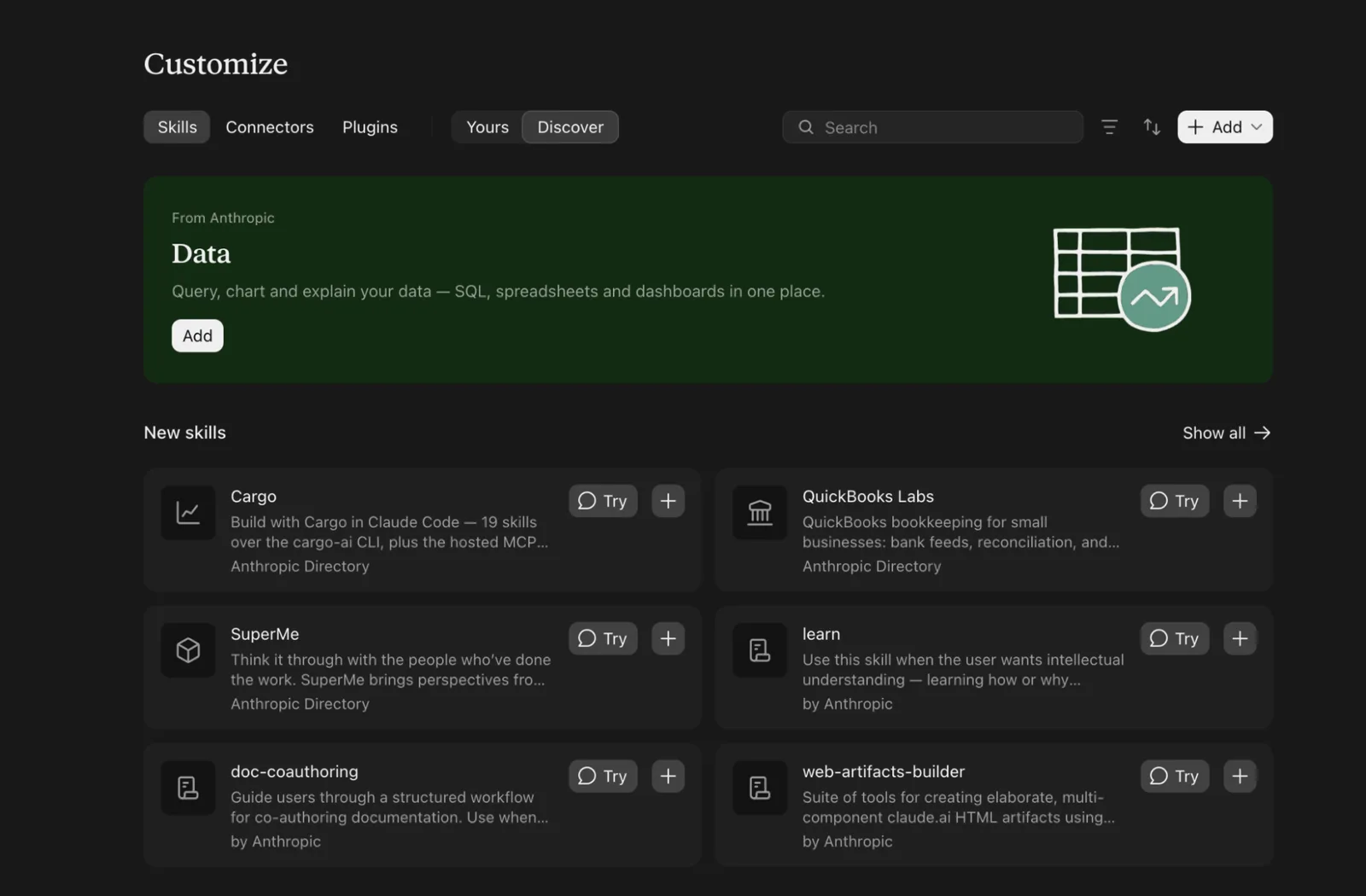
The easiest method is through Claude’s built-in skills directory.
- Open Customize > Skills.
- Select Discover to browse available skills.
- Find a skill you want and click Add.
- The skill will appear under Yours, where you can manage it.
You can also install skills you’ve downloaded from GitHub. Go to Customize > Skills > + Add > Upload skill and select a ZIP containing the skill folder and its SKILL.md file.
The + Add menu also lets you create your own skills, either manually or with Claude’s assistance.
If Skills isn’t available, check that Code execution and file creation is enabled under Settings > Capabilities.
Installing Skills in Claude Code
Claude Code in the terminal has additional ways to install skills, particularly those hosted on GitHub.
Before installing any skill in Claude Code, check you have these set up:
- Claude Code: Install it and sign in with your Claude account using Anthropic’s setup guide.
- Node.js: The
npxcommands below need it. Download the LTS version from nodejs.org and check it works by runningnode -vin your terminal. - A project folder: Skills install into the folder you run the command in, so open your terminal in the folder of the website or project you want Claude to work on.
Two types of command appear in this guide. Commands like npx and git run in your normal terminal. Commands that start with / run inside Claude Code, after you’ve started it by typing claude.
Many repositories support the Skills CLI. For example:
npx skills add coreyhaines31/marketingskills --skill content-strategy -a claude-code
Others provide a Claude Code plugin that you can install using the plugin marketplace.
I’ve included specific installation instructions for each of the 10 skills below, as some require additional scripts or dependencies.
1. Skill Creator: Build Your Own Claude Skills
Skill Creator is Anthropic’s official tool for creating custom Claude skills. You describe the task, provide examples, and it builds the skill for you.
If you have any custom tasks or specific instructions, creating a skill that’s tailored to your needs is often the best route.
For example, you have custom brand rules, tone of voice rules, specific methods for analyzing data, or just want something done a certain way.
The best way to identify skills you might need to create is to look over existing conversations and see what challenges you face and where you have to iterate. Ask Claude to give you a summary of that and then turn it into a skill.
Repeat the same task using the skill to test if it works and tweak as necessary.
How to Install
In Claude Code:
Before you start, make sure Claude Code and Node.js are installed (see the checklist above).
- Open your terminal (Terminal on Mac, PowerShell or Git Bash on Windows) and go to your project folder, for example
cd ~/my-website. - Run this command. If the installer asks any questions, accept the defaults:
npx skills add anthropics/skills --skill skill-creator -a claude-code
- Start Claude Code by typing
claudein the same folder. If it’s already open, close it and start it again so it loads the new skill. - Check it works by typing
/skill-creatorand pressing Enter.
In regular Claude (web or desktop):
- Go to Customize > Skills and open Discover.
- Search for Skill Creator and click Add.
- If it isn’t listed, download the skill folder from GitHub, zip it, and upload it through + Add > Upload skill.
- Start a new chat so Claude can use it.
Try this prompt:
/skill-creator
Review our previous conversations and the tasks we've worked on together. Identify recurring tasks, instructions I frequently repeat, and situations where I've had to correct or refine your output.

Recommend five custom skills that could improve how I work. Explain what each would do and why it would be useful.

Then help me create the most valuable one, test it against real examples, and refine it until it works consistently.
2. Content Strategy: Plan Content Worth Publishing
The Content Strategy skill helps users with multiple aspects of content planning. This includes content ideas, roadmaps, topics to cover, content pillars, and more.
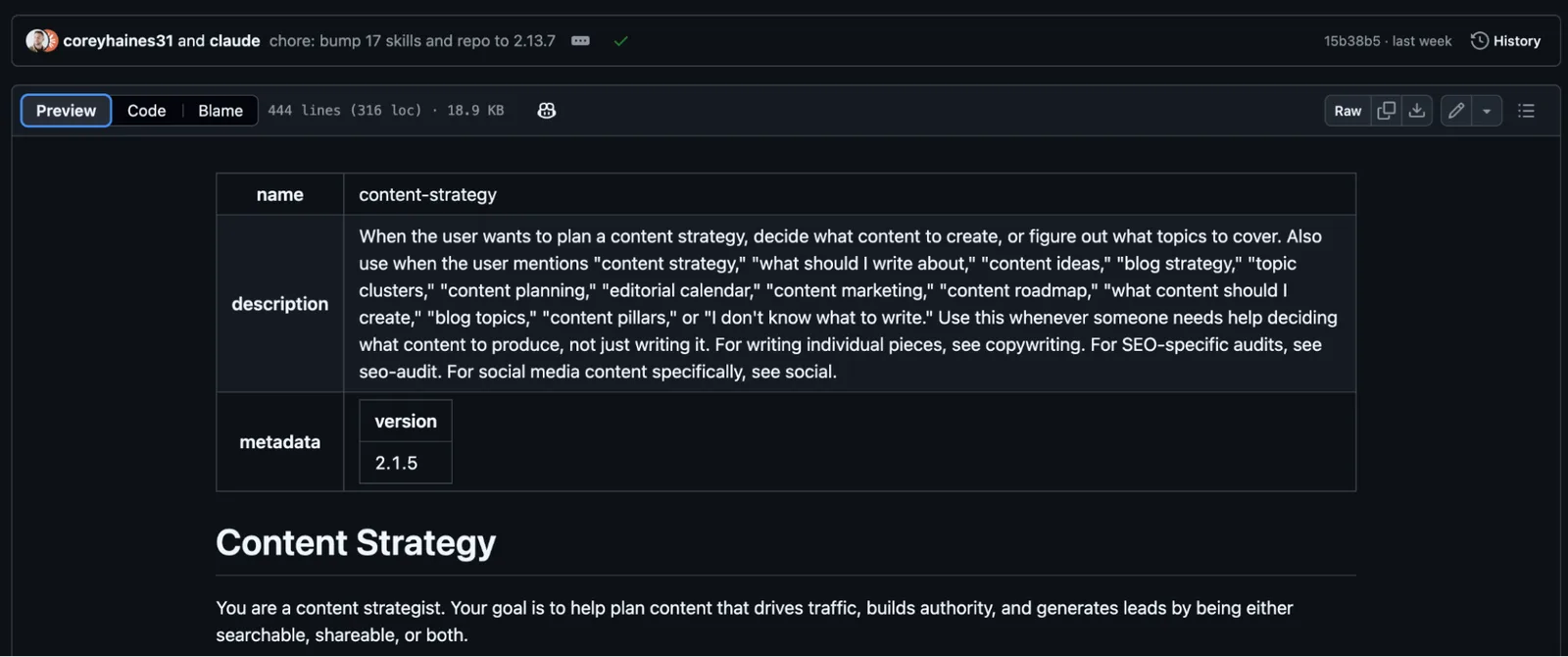
It doesn’t cover audits or actual writing; it’s specifically for planning. So if you find yourself stuck with ideas or the opposite - posting too much irrelevant content - this is a great skill to install.
The good thing about this skill is that it doesn’t just generate pointless blog ideas. It looks at your marketing goals, what customers are asking, what content performs well, and where competitors might be missing opportunities.
It also separates content into searchable (content people actively look for) and shareable (content that generates interest and discussion). It can organize ideas into topic clusters, map topics to different stages of the buyer journey, and score them based on customer impact, search potential, relevance, and resources required.
There’s also a focus on distribution. The skill helps you plan how to repurpose content on different channels.
This Claude skill was built by Corey Haines, a SaaS marketer who runs the Conversion Factory agency and writes the Swipe Files newsletter. It comes from a much larger set of marketing skills that he has created - which I also recommend installing, as many of these skills work together to complete tasks.
How to Install
Before you start, make sure Claude Code and Node.js are installed (see the checklist above).
- Open your terminal (Terminal on Mac, PowerShell or Git Bash on Windows) and go to your project folder, for example
cd ~/my-website. - Run this command. If the installer asks any questions, accept the defaults:
npx skills add coreyhaines31/marketingskills --skill content-strategy -a claude-code
- Start Claude Code by typing
claudein the same folder. If it’s already open, close it and start it again so it loads the new skill. - Check it works by asking: "Use the content strategy skill to plan content for my website."
3. SEO Audit: Find What’s Affecting Organic Traffic
The SEO Audit skill identifies technical SEO problems, improves on-page optimization, and analyzes why a website might be underperforming in search results.
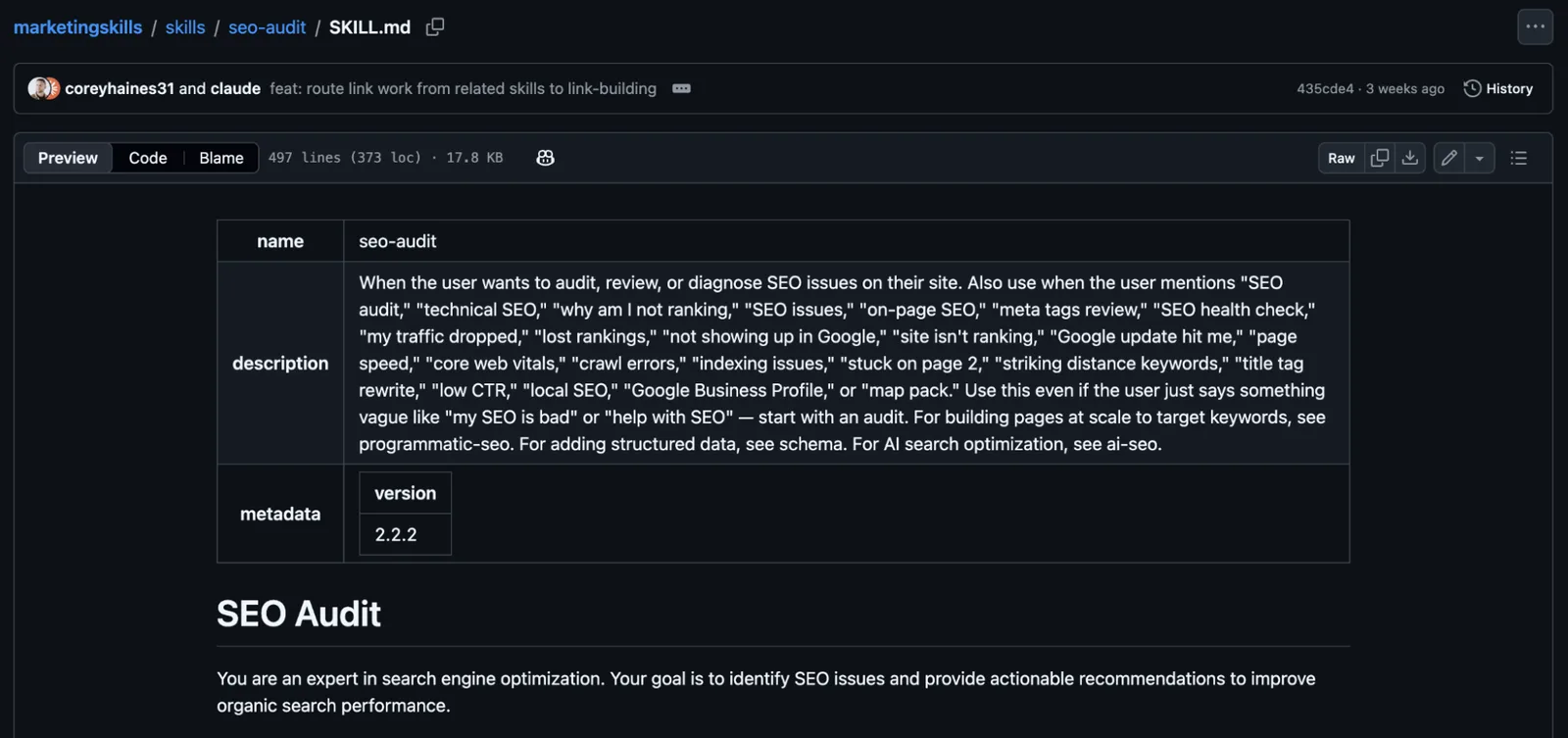
It covers everything from crawling and indexing issues to page speed, internal links, metadata, and content quality. Just provide your site and call the skill - it will ask you follow-up questions if it needs more info.
There are also several more advanced features like specific guidance for international SEO, such as checking hreflang tags (which tell search engines which language or regional version of a page to show), identifying conflicting canonical tags, and reviewing multilingual website structures.
It also includes a Rankings Push framework for finding pages already ranking in positions 8–20 on Google and identifying opportunities to move them higher.
This is another one from Corey Haines’ marketing collection, which has supporting skills to tackle any issues you discover with the auditing skill.
How to Install
Before you start, make sure Claude Code and Node.js are installed (see the checklist above).
- Open your terminal (Terminal on Mac, PowerShell or Git Bash on Windows) and go to your project folder, for example
cd ~/my-website. - Run this command. If the installer asks any questions, accept the defaults:
npx skills add coreyhaines31/marketingskills --skill seo-audit -a claude-code
- Start Claude Code by typing
claudein the same folder. If it’s already open, close it and start it again so it loads the new skill. - Check it works by asking: "Use the SEO audit skill to audit https://yourwebsite.com."
4. Last30Days: Find What Your Audience Is Talking About Now
Last30Days is a research skill that searches recent conversations on platforms like Reddit, X, YouTube, TikTok, Hacker News, GitHub, and other sources.
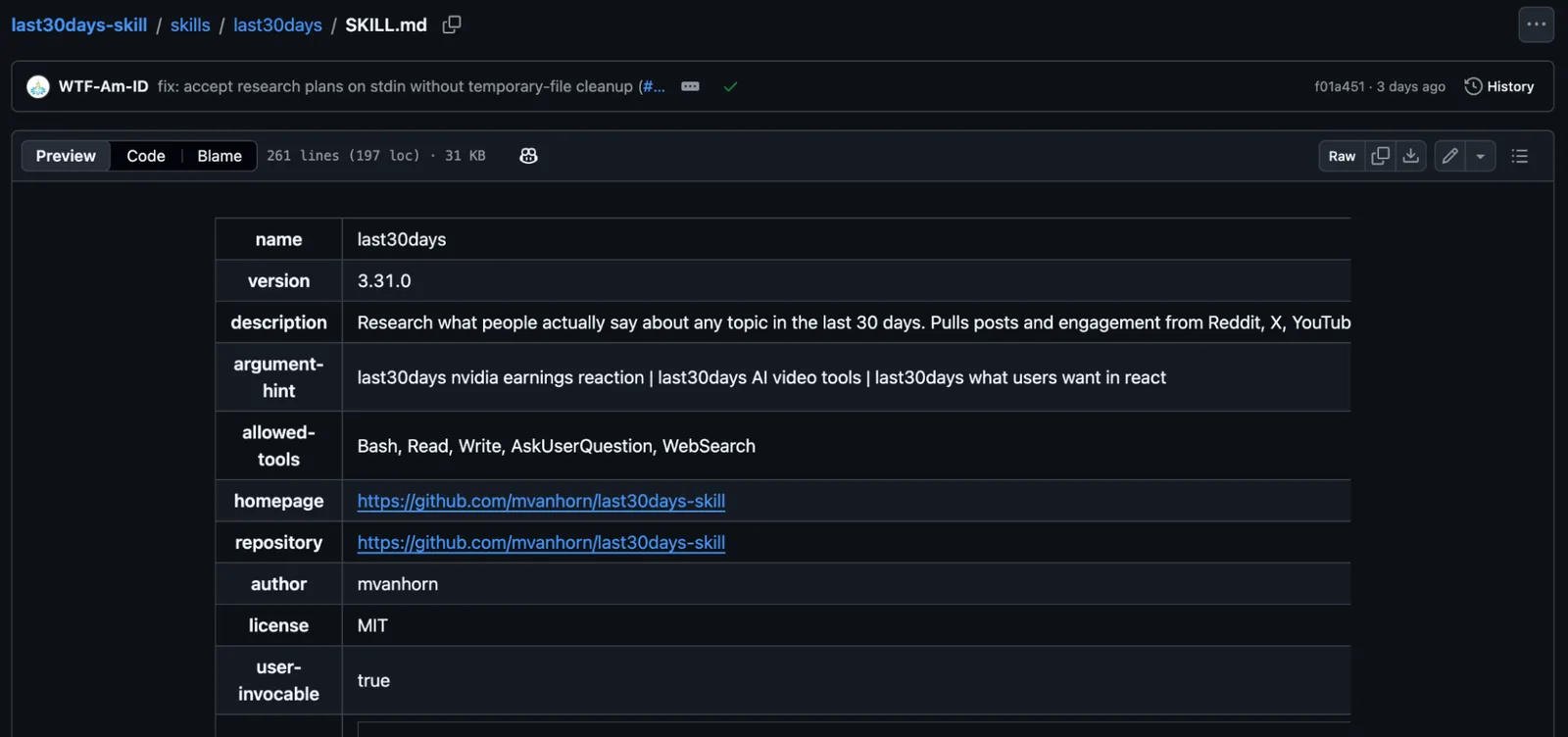
For marketers, it’s great for identifying emerging trends, understanding customer frustrations, researching competitors, and finding new opportunities for campaigns and content.
For example, you might discover that customers are complaining about a feature your competitors lack, allowing you to highlight that advantage in your messaging.
You can also use it to identify the questions people keep asking, the language they use to describe problems, and objections that your existing marketing doesn’t address.
Instead of guessing what your audience cares about, you can use recent conversations to inform your content strategy, positioning, campaign messaging, and competitor research.
What makes this skill unique is that it looks at upvotes, engagement, and discussion activity to identify the topics getting attention.
The skill was created by the developer behind the GitHub account mvanhorn, and the project has grown into a larger research system with numerous supported sources.
There are several ways to use it:
/last30days [topic]: Research recent conversations about a particular subject./last30days what's exploding in [topic]?: Discover emerging topics and trends./last30days doctor: Check which research sources are working and whether anything needs configuring.
Keep in mind that some research sources require API keys or additional setup, so the amount of information available depends on which platforms you’ve connected.
How to Install
Plugins are installed from inside Claude Code, not from the normal terminal prompt.
- Open your terminal (Terminal on Mac, PowerShell or Git Bash on Windows) and go to your project folder, for example
cd ~/my-website. - Start Claude Code by typing
claude. - At the Claude Code prompt, add the marketplace:
/plugin marketplace add mvanhorn/last30days-skill
- Then install the plugin. If it asks where to install it, choose the option for your user account so it works in every project:
/plugin install last30days
- Close Claude Code and start it again if the new commands don’t appear when you type
/. - Run
/last30days doctorto see which research sources work and which need an API key or login.
5. Marketing Psychology: Make Landing-Page Copy More Persuasive
The Marketing Psychology skill gives Claude a large collection of psychological principles and mental models that can be applied to marketing strategy, messaging, pricing, and conversions.
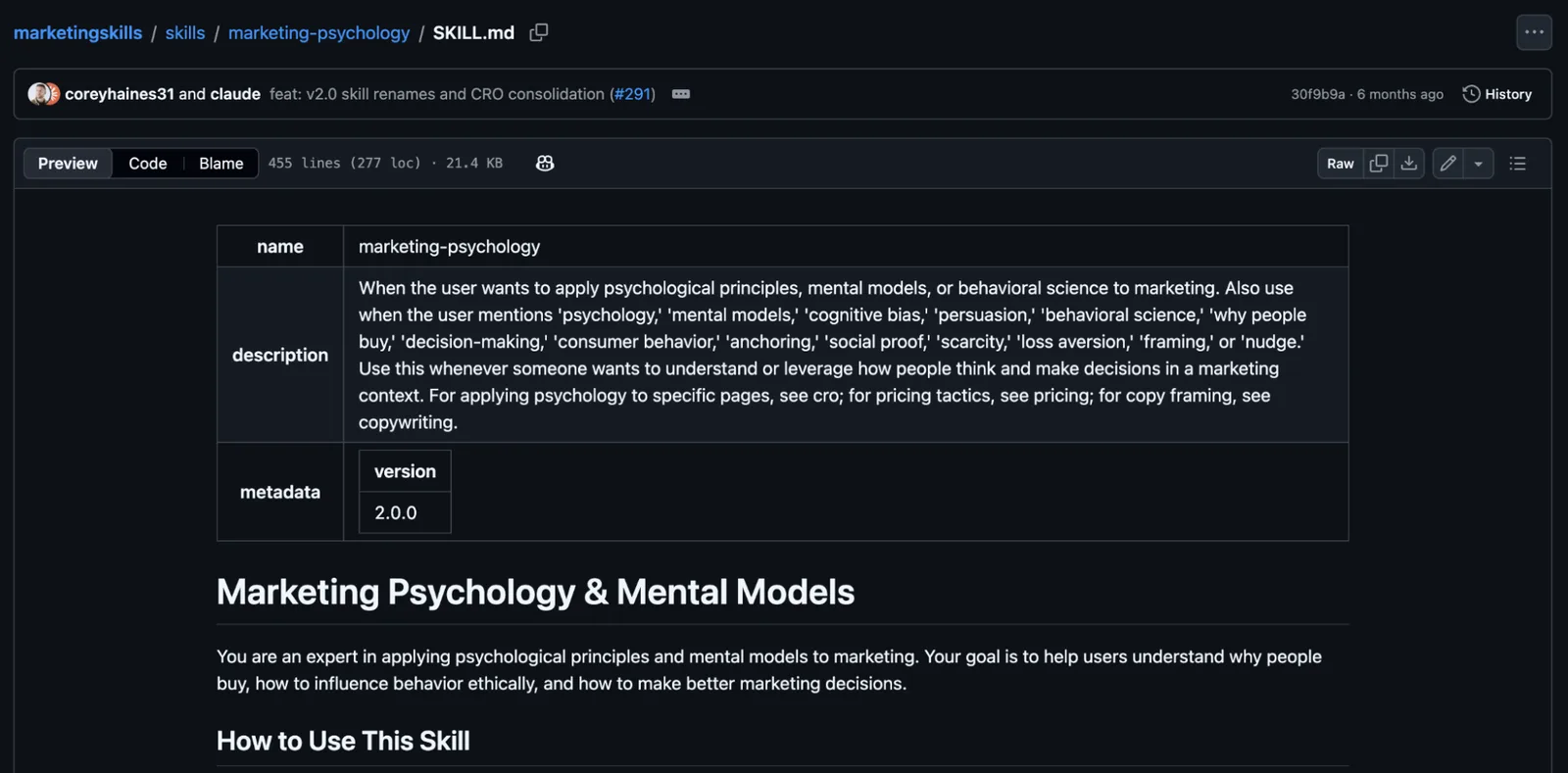
The skill covers concepts such as loss aversion, anchoring, framing, decision fatigue, and the IKEA effect (where people place greater value on something they’ve helped create).
If you’re struggling with low conversions, customers hesitating over pricing, or messaging that isn’t convincing people to act, this skill can help you understand the reasons behind those problems.
One of its strongest features is how it can connect your specific marketing challenges to relevant psychological models.
For example:
- Low conversions: Looks at decision friction, the number of choices presented, and how much effort is required to act.
- Pricing objections: Uses principles such as anchoring and framing to examine how people perceive value.
- Building trust: Explores social proof, authority, and credibility.
- Customer retention: Looks at switching costs, existing habits, and why customers resist change.
Instead of just recommending changes, Claude can explain the psychological reasoning and suggest how to apply it to your situation.
It’s another one from Corey Haines’ marketing-skills collection, and it works well alongside his CRO, copywriting, and pricing-related skills.
How to Install
Before you start, make sure Claude Code and Node.js are installed (see the checklist above).
- Open your terminal (Terminal on Mac, PowerShell or Git Bash on Windows) and go to your project folder, for example
cd ~/my-website. - Run this command. If the installer asks any questions, accept the defaults:
npx skills add coreyhaines31/marketingskills --skill marketing-psychology -a claude-code
- Start Claude Code by typing
claudein the same folder. If it’s already open, close it and start it again so it loads the new skill. - Check it works by asking: "Use the marketing psychology skill to review the copy on my pricing page."
6. Landing Page Design: Build a Conversion-Focused Page From Scratch
The Landing Page Design skill helps Claude Code build landing pages, including everything from the initial structure and copy to the finished visual design.
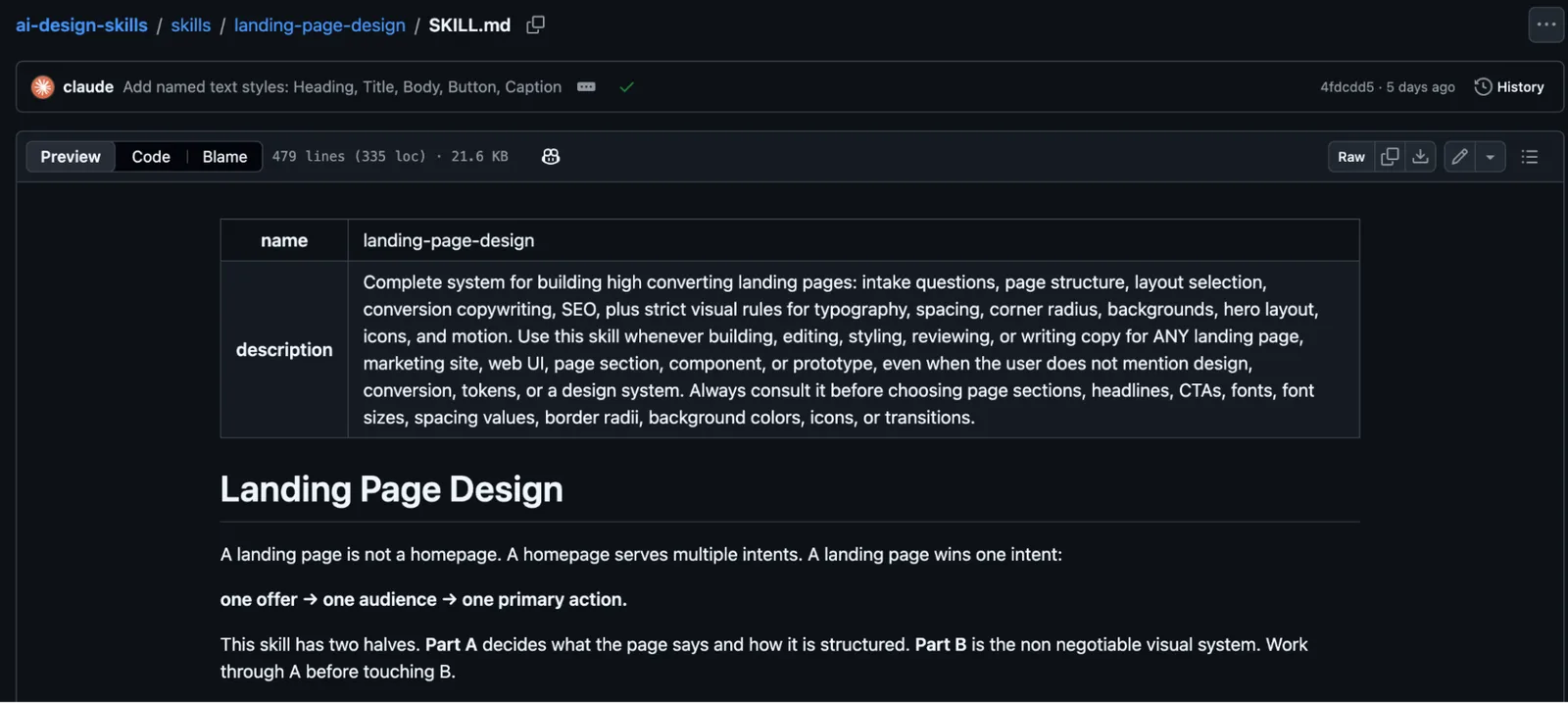
It’s good for marketers who want to create campaign landing pages, product pages, or lead-generation pages.
One of the biggest problems with AI-generated landing pages is that they all look similar and lack best practices based on research and data. They might look ok visually, but they are not built for conversions.
This skill targets that through two systems.
The first looks at strategy and structure. It helps establish the audience, offer, conversion goal, messaging, and supporting content.
It includes four different layout approaches:
- Classic landing page: A hero section followed by benefits, proof, and calls to action.
- Long-form page: Designed for offers that need more explanation.
- Minimal conversion page: Suited to simpler offers and high-intent visitors.
- Comparison page: For when visitors are evaluating alternatives.
The second system looks at the visual design, with specific rules for typography, spacing, colors, responsive layouts, and animations.
It also includes SEO and AI Search considerations, including when campaign pages should or shouldn’t be indexed.
The skill was published by Elaya Design. Its detailed design rules make it a good choice for creating consistent pages, although you’ll want to override some of its preferences if you already have brand guidelines.
How to Install
Before you start, make sure Claude Code and Node.js are installed (see the checklist above).
- Open your terminal (Terminal on Mac, PowerShell or Git Bash on Windows) and go to your project folder, for example
cd ~/my-website. - Run this command. If the installer asks any questions, accept the defaults:
npx skills add elayadesign/ai-design-skills --skill landing-page-design -a claude-code
- Start Claude Code by typing
claudein the same folder. If it’s already open, close it and start it again so it loads the new skill. - Check it works by asking: "Use the landing page design skill to plan a landing page for my product."
7. Impeccable: Fix Pages That Look or Feel Unfinished
Impeccable is a design toolkit that helps Claude Code create, review, and improve websites and user interfaces.
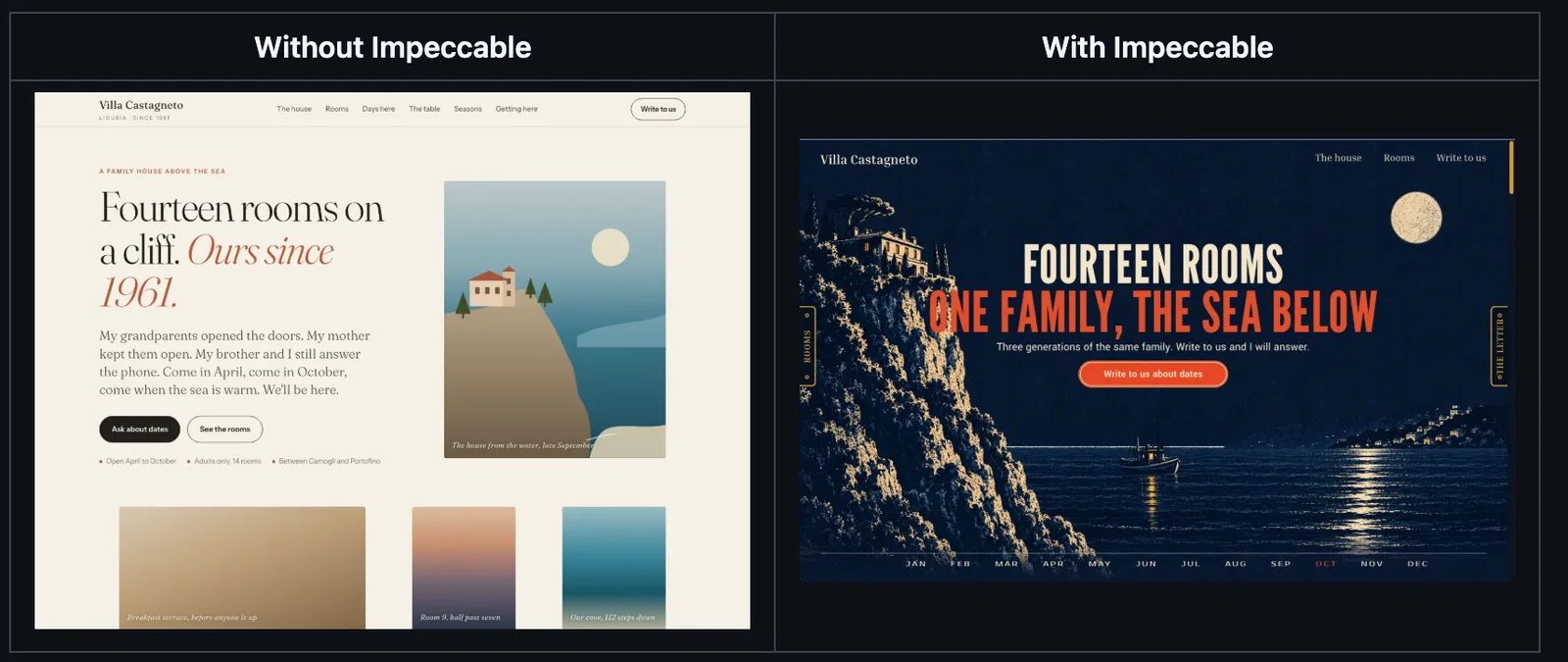
It was created by Paul Bakaus and includes 24 skill commands for design improvements, usability, accessibility, responsiveness, and more.
If you’ve ever asked Claude to build a landing page, you know that everything starts looking the same, with generic layouts, repetitive cards, similar gradients, and other classic AI signs.
Impeccable was created to fix these exact issues.
One of its best features is an automated design checker with 62 rules for detecting common design problems. It can identify patterns associated with generic AI-generated interfaces, as well as usability issues.
There are multiple skill commands for this and some of the main ones include:
/impeccable init: Set up the project context so Claude understands what you’re building./impeccable critique: Review a design and identify areas to improve./impeccable audit: Check accessibility, performance, responsiveness, and other quality issues./impeccable bolder: Make an overly plain design more distinctive./impeccable clarify: Improve confusing interface copy./impeccable adapt: Improve a design across different screen sizes./impeccable polish: Apply a final round of improvements.
The others are in this screenshot:
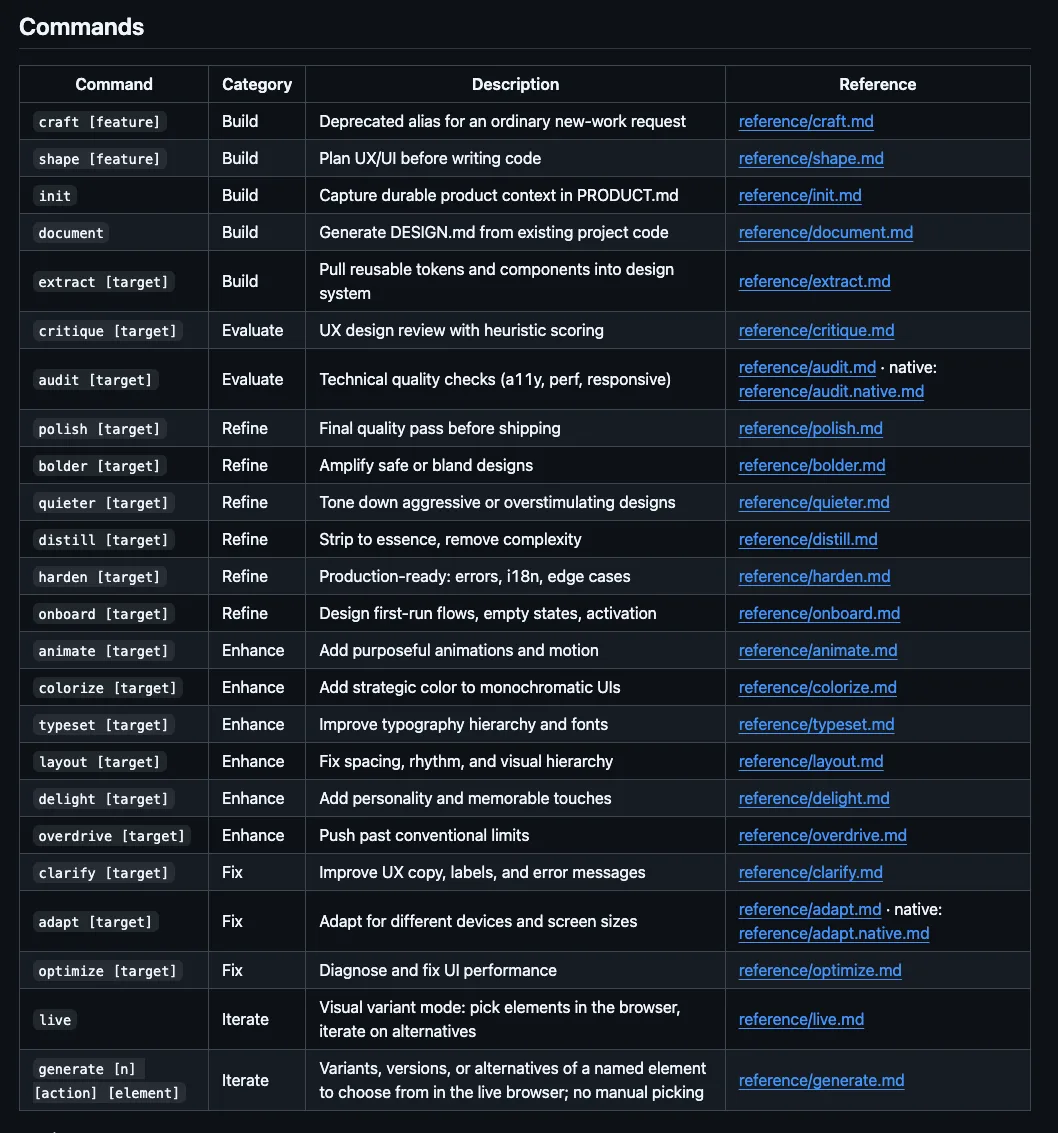
Another interesting feature is /impeccable live, which lets you select elements in a running local website, explore design variations, and apply changes.
For marketers building landing pages, microsites, or interactive tools with Claude Code, this is one of the better skills out there, as it gives you much greater control over the finished design.
How to Install
Impeccable also needs Node.js. Run the installer from the folder of the website you want to improve.
- Open your terminal (Terminal on Mac, PowerShell or Git Bash on Windows) and go to your project folder, for example
cd ~/my-website. - Run the installer and follow its prompts. If it asks which coding agent you use, choose Claude Code:
npx impeccable install
- Start Claude Code by typing
claudein the same folder. If it’s already open, close it and start it again so it loads the new skill. - Run
/impeccable initfirst so it learns about your project, then try/impeccable critiqueon a page.
8. Growth Engine: Run Marketing Experiments and Learn What Works
The Growth Engine skill helps marketers create, track, and analyze marketing experiments. It uses statistical testing to identify winning variations and builds a reusable playbook based on the results.
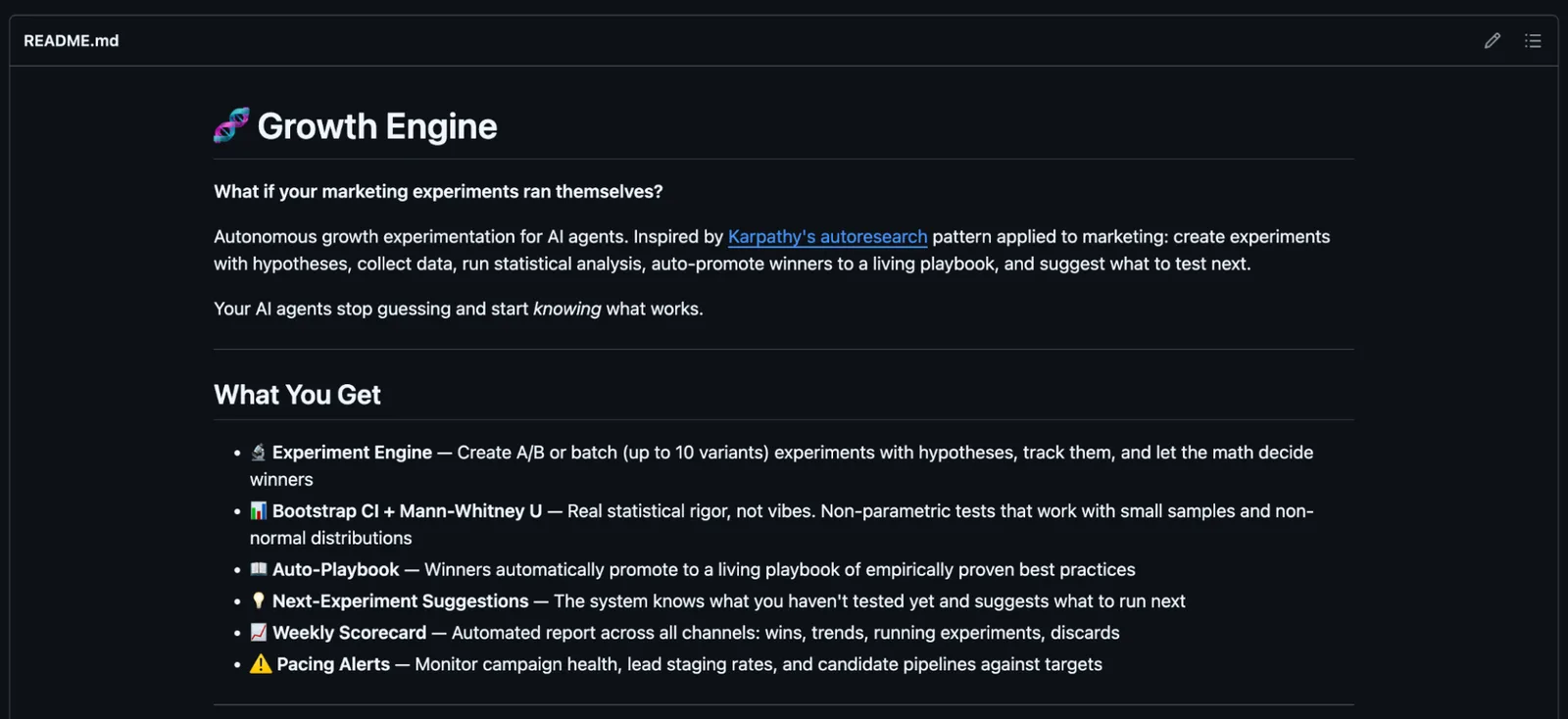
It comes from Eric Siu’s AI Marketing Skills repository, developed by his Single Brain team. Eric is the founder of Single Grain and co-hosts the Marketing School podcast.
If you’re running marketing experiments, you’ll know that identifying a winning variation isn’t always an easy task. One version might generate more clicks or conversions, but that doesn’t necessarily mean a conclusion can be drawn.
This Claude skill helps you manage that process.
You can create experiments on different marketing channels, test up to 10 variations, and record performance data as results come in.
It then uses statistical methods to evaluate the results. By default, a variation must show at least a 15% improvement and meet a statistical significance threshold before the system classifies it as a winner.
One of the best features is the living playbook. When an experiment meets those criteria, the result is automatically added to a collection of successful approaches that can inform future marketing.
It includes commands such as:
create: Set up an experiment with a hypothesis, variations, and success metric.log: Record performance data for each variation.score: Analyze results and determine whether a winner has emerged.playbook: Review successful experiments and their findings.suggest: Generate ideas for what to test next.
It also includes weekly performance scorecards and campaign pacing alerts.
A great skill if you’re regularly testing content, email campaigns, advertising creative, or other marketing activities and want to build on previous findings rather than starting from scratch.
Note: The skill doesn’t run the actual A/B tests inside your advertising or email platforms. You’ll need to run the variations and supply performance data for it to track and analyze.
How to Install
Growth Engine requires a little more setup than most of the other skills on this list because it includes Python scripts for managing and analyzing experiments.
You’ll need Git and Python 3 as well as Claude Code. Check they’re installed by running git --version and python3 --version in your terminal. If either command isn’t found, install it from git-scm.com or python.org.
Open your terminal in your Claude Code project folder and run these commands one at a time. On Windows, use Git Bash so the mkdir -p and cp commands work.
git clone https://github.com/ericosiu/ai-marketing-skills.git
mkdir -p .claude/skills
cp -R ai-marketing-skills/growth-engine .claude/skills/growth-engine
cd .claude/skills/growth-engine
python3 -m pip install -r requirements.txt
cp .env.example .env
This installs the complete skill folder, including its experiment scripts and required Python packages. You can edit the .env configuration if you want to customize the settings.
Go back to your project folder with cd ../../.., then start Claude Code with claude (or restart it if it was already open). Once it’s running, you can ask Claude Code to use Growth Engine to plan and manage experiments.
For example: Use Growth Engine to create an experiment comparing carousel posts with single-image posts on LinkedIn. Track clicks as the main metric and help me record and evaluate the results.
The skill uses commands such as create, log, score, and playbook to manage experiments and collect the results.
9. GEO SEO Claude: Optimize Your Website for AI Search
This Claude skill helps marketers understand how well their website is optimized for AI search, including ChatGPT, Perplexity, Claude, Gemini, and Google AI Overviews.
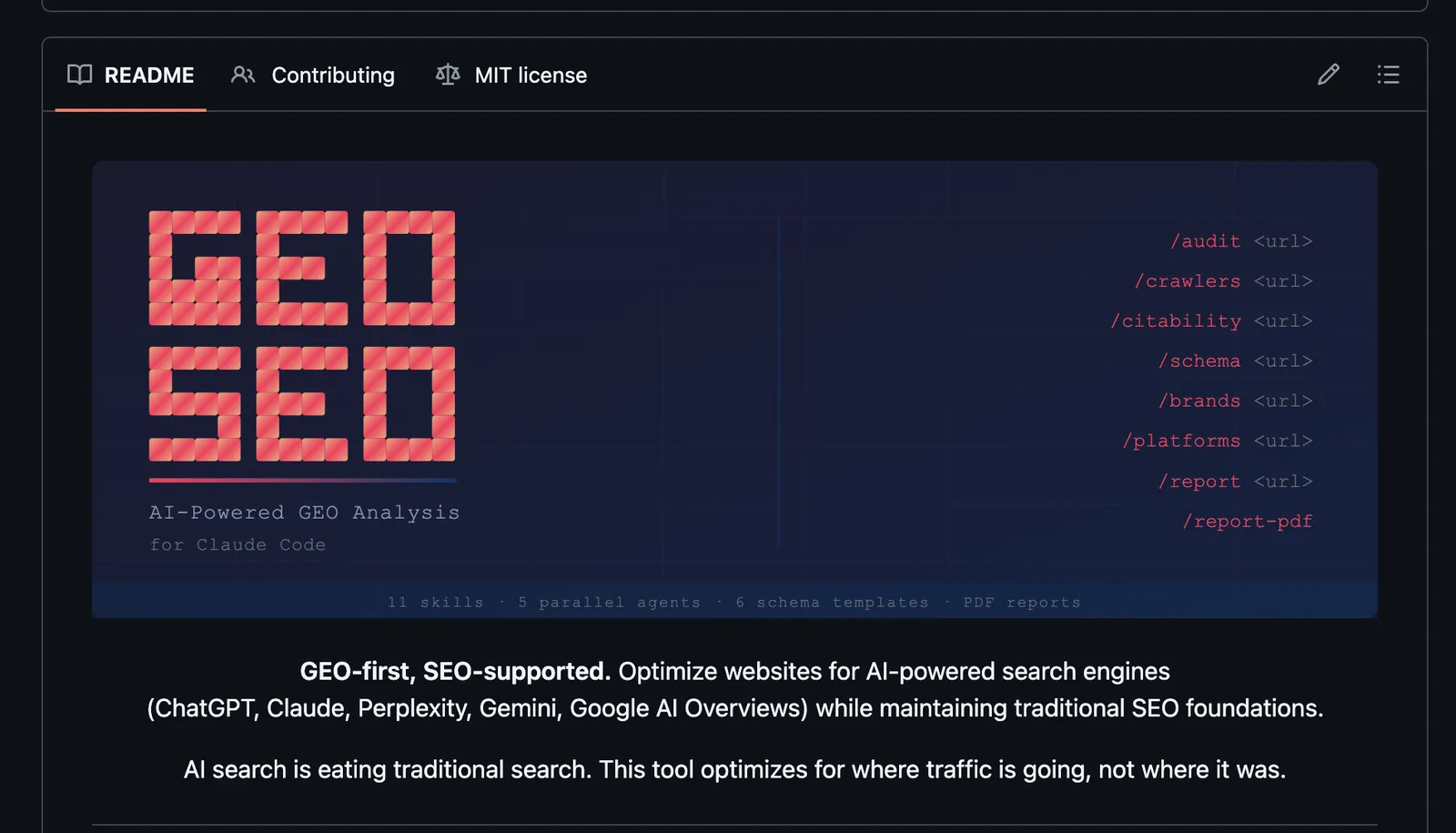
It comes from Zubair Trabzada, who created an open-source Claude Code skill that has collected more than 10,000 stars on GitHub.
Optimizing for AI search (Generative Engine Optimization) has become a huge focus for marketers over the last couple of years, and having a skill to support that is a must.
You might have a website that performs well in traditional Google search, but that doesn’t mean its content can perform in AI search.
This skill uses five specialized AI agents to analyze different parts of your website, including content quality, technical SEO, AI crawler access, structured data, and AI search readiness.
Citability scoring is one of its key features, which analyzes how easily a piece of content could be extracted and referenced in an AI answer.
It also looks at brand authority signals, checks whether AI crawlers can access your website, and identifies improvements that could make your content easier for AI to understand.
The skill includes multiple commands:
/geo audit: Run a complete website audit using five specialized agents./geo citability: Analyze how suitable a page is for AI citations./geo crawlers: Check whether AI search crawlers can access your website./geo brands: Research brand mentions across external platforms./geo platforms: Review optimization opportunities for different AI search platforms./geo report: Generate a report with findings and recommended improvements.
It can also generate structured data and client-ready PDF reports. This is a great skill for marketers working on GEO (Generative Engine Optimization).
One thing to note: its GEO and citability scores measure how well your website is prepared for AI Search. They don’t tell you exactly how often ChatGPT or other AI tools recommend or cite your business.
How to Install
GEO SEO Claude needs Python 3.10 or newer and Git. Check them by running python3 --version and git --version. If either is missing or older, install it from python.org or git-scm.com.
- Open your terminal (on Windows, use Git Bash or WSL so the installer script can run).
- Clone the repository and run its installer:
git clone https://github.com/zubair-trabzada/geo-seo-claude.git
cd geo-seo-claude && ./install.sh
- Follow the installer’s prompts until it says it has finished.
- Start Claude Code by typing
claudein the same folder. If it’s already open, close it and start it again so it loads the new skill. - Run
/geo auditfollowed by your website address to test it.
10. LinkedIn Agent Skill: Build a Better LinkedIn Marketing Strategy
LinkedIn Agent is a collection of 11 Claude skills that help with creating LinkedIn content, analyzing performance, improving profiles, and managing engagement.
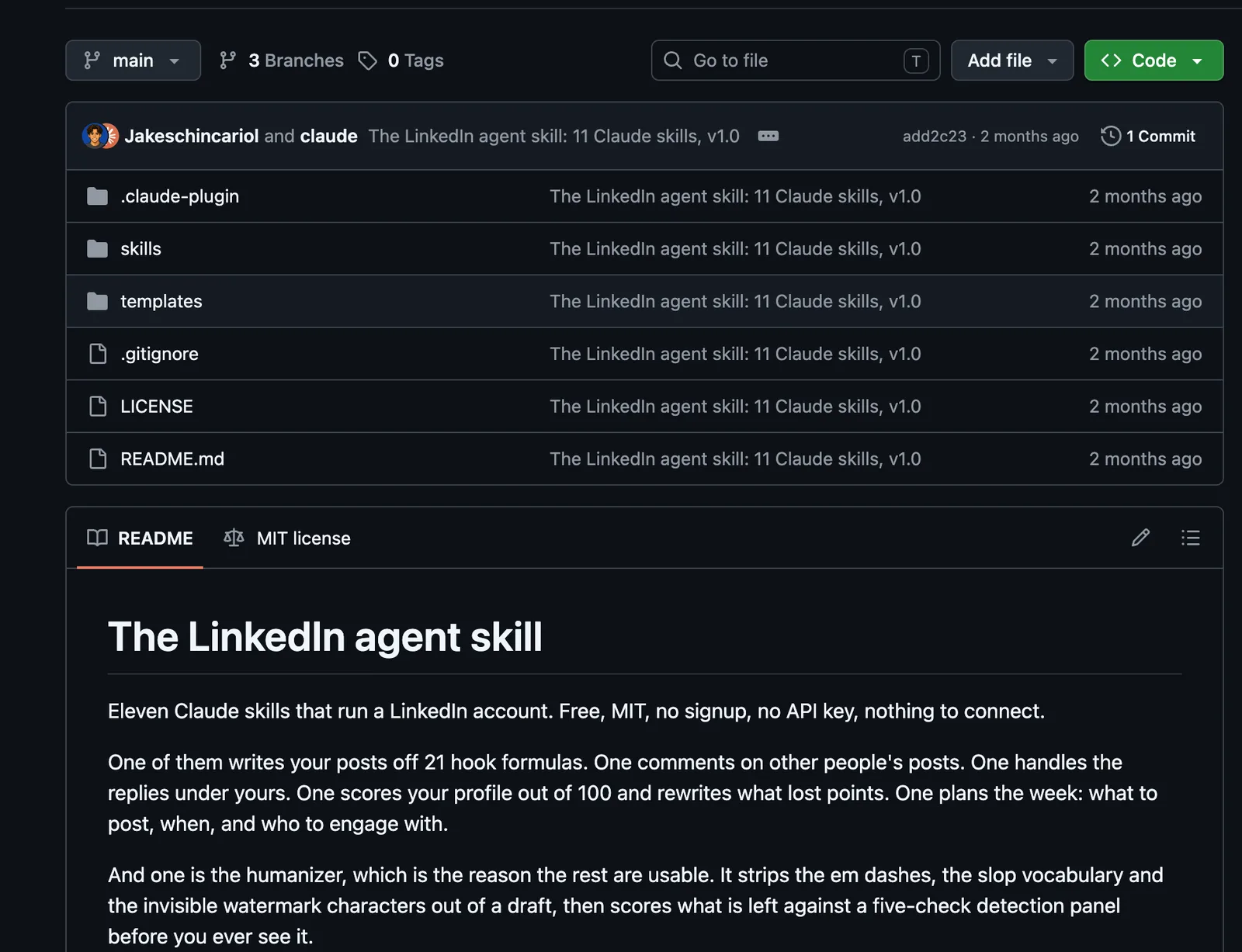
It was created by Jake Schincariol, and the GitHub repository has more than 3,000 stars.
If you’re creating LinkedIn content, you need to understand which posts perform well, develop a unique style, engage with the right people, and avoid publishing straight-up AI slop.
The LinkedIn Agent skill is a good solution for that.
One of its best features is the LinkedIn post creator, which uses 21 different hook formulas to help you write better openings.
Rather than creating one generic post, it suggests three different opening approaches, explains which is strongest, and produces a draft based on your writing style.
There’s also a dedicated analytics skill that looks at your previous posts to identify what’s performing.
It analyzes engagement rates, post formats, opening hooks, and other performance metrics to help you understand what to publish more of.
The collection’s main commands include:
/li-post: Create LinkedIn posts using different hook formulas./li-audit: Analyze previous posts and identify what’s working./li-plan: Build a weekly content and engagement plan./li-profile: Score your LinkedIn profile and recommend improvements./li-human: Remove common AI-writing patterns and review your writing style./li-carousel: Create LinkedIn carousel content./li-repurpose: Turn existing content into multiple LinkedIn posts./li-comment: Draft relevant comments for other people’s posts.
Another feature to point out is ‘Humanizer’, which includes scripts that check for generic AI phrases, repetitive writing patterns, and other characteristics associated with AI-generated content.
It also lets you create a voice profile from your previous posts, helping Claude maintain a more consistent writing style.
For marketers using LinkedIn for thought leadership, brand awareness, or lead generation, this provides a much more structured approach than asking Claude to write posts.
How to Install
Plugins are installed from inside Claude Code, not from the normal terminal prompt.
- Open your terminal (Terminal on Mac, PowerShell or Git Bash on Windows) and go to your project folder, for example
cd ~/my-website. - Start Claude Code by typing
claude. - At the Claude Code prompt, add the marketplace:
/plugin marketplace add Jakeschincariol/linkedin-agent-skill
- Then install the plugin. If it asks where to install it, choose the option for your user account so it works in every project:
/plugin install linkedin-agent
- Close Claude Code and start it again if the new commands don’t appear when you type
/. - Type
/liand check the LinkedIn commands appear in the list./li-profileis a good first one to try.
FAQ: Claude Skills for Marketing
Some of the best Claude skills for marketing include Content Strategy, SEO Audit, Last30Days, Marketing Psychology, Growth Engine, and GEO SEO Claude. Each specializes in different marketing tasks, from research and strategy to optimization and performance analysis.
You can install Claude skills in Claude Code using the repository’s Skills CLI command or plugin installation instructions. Some skills also require additional dependencies or integrations.
Yes, compatible Claude skills can be installed and used in regular Claude. However, skills that rely on local scripts, coding tools, or certain integrations may require Claude Code.
Many Claude skills on GitHub are free and open source. However, some require a paid Claude plan, API access, or third-party services to function fully.
Yes, Claude skills can standardize and automate parts of marketing workflows, including research, SEO audits, reporting, and campaign analysis. Running these tasks automatically on a schedule requires additional tools or integrations.
Final Thoughts
There are hundreds of Claude skills available, and more are being published every day. You don’t need to install all of them to start getting value.
My recommendation is to look at the marketing tasks you perform regularly and identify where you’re spending the most time or repeatedly correcting Claude.
Install a skill that fixes one of those problems and test it. Give it your existing content, campaign data, research, or instructions, and see how much of the process it can handle.
It’s also worth experimenting with combinations of skills, particularly when working on more complex marketing projects that involve research, strategy, content, and execution.
If you can’t find a skill that does exactly what you need, use Skill Creator to build your own.
The more you refine these workflows around how you work, the less time you’ll spend repeating instructions and the more consistent your results will become.