
Voice generation can become a huge bottleneck for video creators, podcasters, and anyone producing audio content. Recording voiceovers takes time, requires decent equipment, and if you need multiple takes or want to update content later, you’re back in front of the mic.
AI voice generators have improved a lot over the past few years, to the point where they sound human. Some also have dozens of voices, emotion control, and the ability to clone your own voice so it remains on brand.
Each tool has a different use case too. Some are better at long-form content but lack emotional range. Others sound great, but limit how much you can generate per month.
Price, voice quality, customization options, and output formats are all important factors to consider when you’re comparing AI voice generators.
I have tested and broken down the best AI voice generators worth using in 2026.
Best AI Voice Generators: Quick Picks
- Best overall voice quality: ElevenLabs
- Best for marketing voiceovers (fast output + easy revisions): Murf AI
- Best “professional narrator” voice for brand videos: WellSaid Labs
- Best for voice cloning and brand voice: Resemble AI
- Best for short-form social speed: CapCut
How I Evaluated These Tools
I tested these different AI voice generators from a content marketing use case, for brands and marketers to make an informed decision. The list is based on the following criteria:
- Voice quality and naturalness: Does it sound believable on real marketing scripts, like ads, product videos, and explainers?
- Voice options and language coverage: Are there enough voice styles and languages to support different campaigns and markets?
- Control over the read: Can you fix the stuff marketers actually run into, like brand-name pronunciation, pacing, emphasis, and pauses?
- Fit for marketing formats: Does it work well for the formats marketers ship, like short-form social, product walkthroughs, training-style videos, and sales enablement?
- Pricing and usage model: Can you predict cost based on how much content you produce, and does the plan include commercial use?
The 9 Best AI Voice Generators
| Tool | Best for | Price (starting) |
|---|---|---|
| ElevenLabs | Most natural voiceovers | $5/mo (Starter) |
| Murf AI | Fast marketing voiceovers + revisions | $29/mo (Creator Lite) |
| Descript | Editing videos + fixing voice lines fast | $24/person/mo (Hobbyist annual) |
| WellSaid Labs | Polished narrator-style reads | $55/user/mo (Creative) |
| LOVO AI | Voiceover + captions + simple edits | $24/user/mo (Basic) |
| Resemble AI | Voice cloning + brand voice | $5/mo (Starter) |
| VEED | Browser editor with voiceover + captions | $19/editor/mo (Lite) |
| CapCut | Short-form social content | $19.99/mo (Pro) |
| Clipchamp | Simple voiceovers inside an editor | Free (paid options vary) |
ElevenLabs
Best for: Ultra-realistic voiceovers and emotional range.
Pricing: A range of plans from free, $5/mo, $22/mo, and higher.
ElevenLabs is a strong pick for marketers who need voiceovers that sound natural in ads, product videos, explainers, and narration. It’s most useful when the script needs a clear tone and smooth delivery, because that’s what keeps you from regenerating audio over and over.
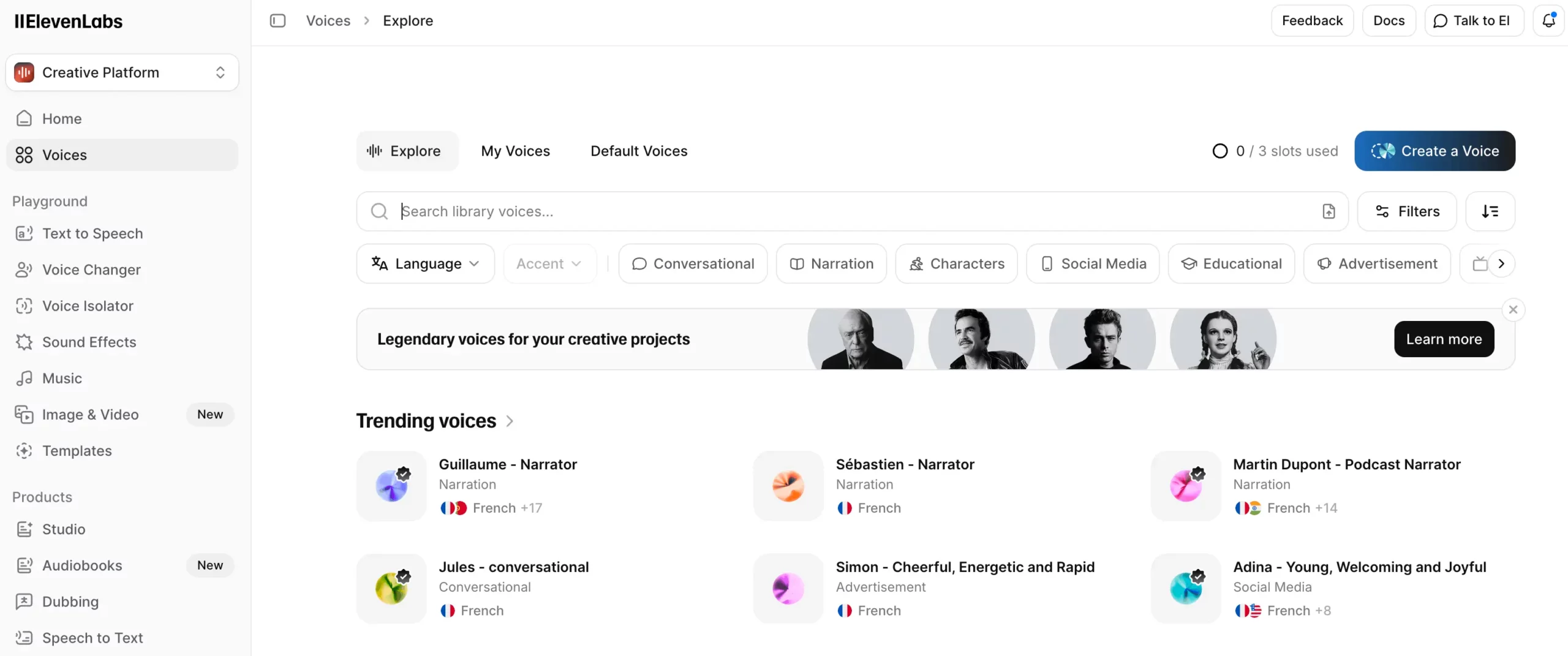
It’s also a good option when you want a variety of voices for different brands, audiences, or campaign styles. It supports multiple languages and gives you a large voice library, which helps when you’re producing variations and localized versions.
Key features:
- Large voice library, including thousands of community voices
- 32 language support
- Voice controls to adjust delivery (steadier vs more expressive)
- Voice cloning options (plan-dependent)
Pros:
- Natural-sounding output that works well for marketing scripts
- Lots of voices, which helps you match a voice to a brand
- Plans that scale from light use to higher-volume teams
Cons:
- Costs can add up if you generate a lot of long-form audio
- Voice cloning and saved voices have plan limits, so teams may need higher tiers
ElevenLabs works best when you want a consistent voice across a campaign, and you don’t want to record new audio every time a line changes. It’s a strong fit for paid social variants, product updates, and localized versions of the same asset.
Integrations: API access for teams that want to generate voiceovers inside internal workflows.
Quick tip: Test your top voice choice on three real scripts before you commit. Use a 15-second ad, a product walkthrough paragraph, and a CTA-heavy ending. Pick the voice that stays clear on all three.
Murf AI
Best for: Fast marketing voiceovers and control over timing, pacing, and revisions.
Pricing: Free plan or plans from $29/user/month.
Murf was one of my favorite AI voice generators to test. It’s built for the normal marketing workflow where scripts change, and you can’t keep re-recording. It’s a good fit for product demos, paid social, explainers, sales enablement clips, and training-style videos because you can generate a voiceover, adjust how it’s read, and export quickly.
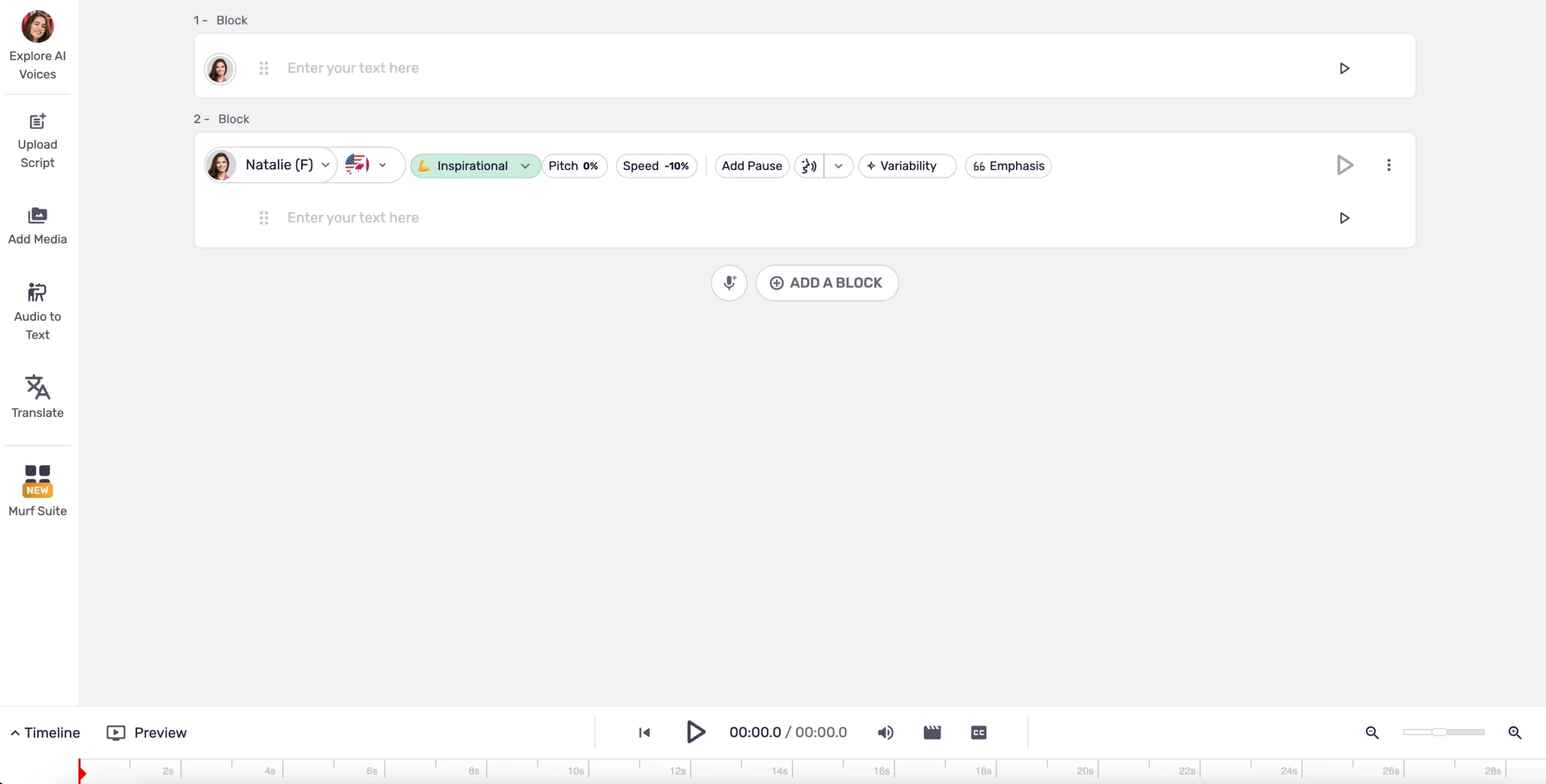
It also works well for teams. You can keep voiceovers consistent across campaigns, so videos don’t sound like they were made by five different people using five different voices.
Key features:
- 200+ voices across 20+ languages and accents
- Pronunciation controls for brand names and tricky words, including shared pronunciation libraries
- Narration styles for different reads (for example, promo vs conversational), depending on the voice
- Built-in workflows for marketing assets like voiceovers for slides and video
- Integrations with tools marketers already use, including Canva and presentation tools
Pros:
- Fast to produce voiceovers and fast to revise them
- Easy to keep a consistent voice across a campaign or team
- Strong fit for common marketing formats like demos, explainers, and enablement videos
Cons:
- Better for clean, professional reads than “character” or dramatic performances
- The free plan is mainly for testing. Paid plans are where you get full usage, including commercial rights and downloads
- If you need advanced features like voice cloning, you may end up in higher-tier plans
Murf works best when your bottleneck is speed and edits. If you ship videos weekly and you regularly change lines for offers, product updates, or compliance, Murf saves time because you can fix the script and regenerate sections instead of starting over.
Integrations: Canva, Google Slides, PowerPoint, and more.
Quick tip: Create a short brand pronunciation list on day one (product names, competitors, acronyms, key features). Share it with your team so every new voiceover stays consistent across ads, landing page videos, and sales decks.
Descript
Best for: Marketing teams that edit audio and video every week and need fixes fast.
Pricing: Starts at $24 per person/month (or $16/month on annual).
Descript is different from most AI voice generators because it’s an editor first. You’re not just generating a voiceover and exporting a file. You’re writing, editing, generating voice, fixing mistakes, adding captions, and exporting the finished video in one place.
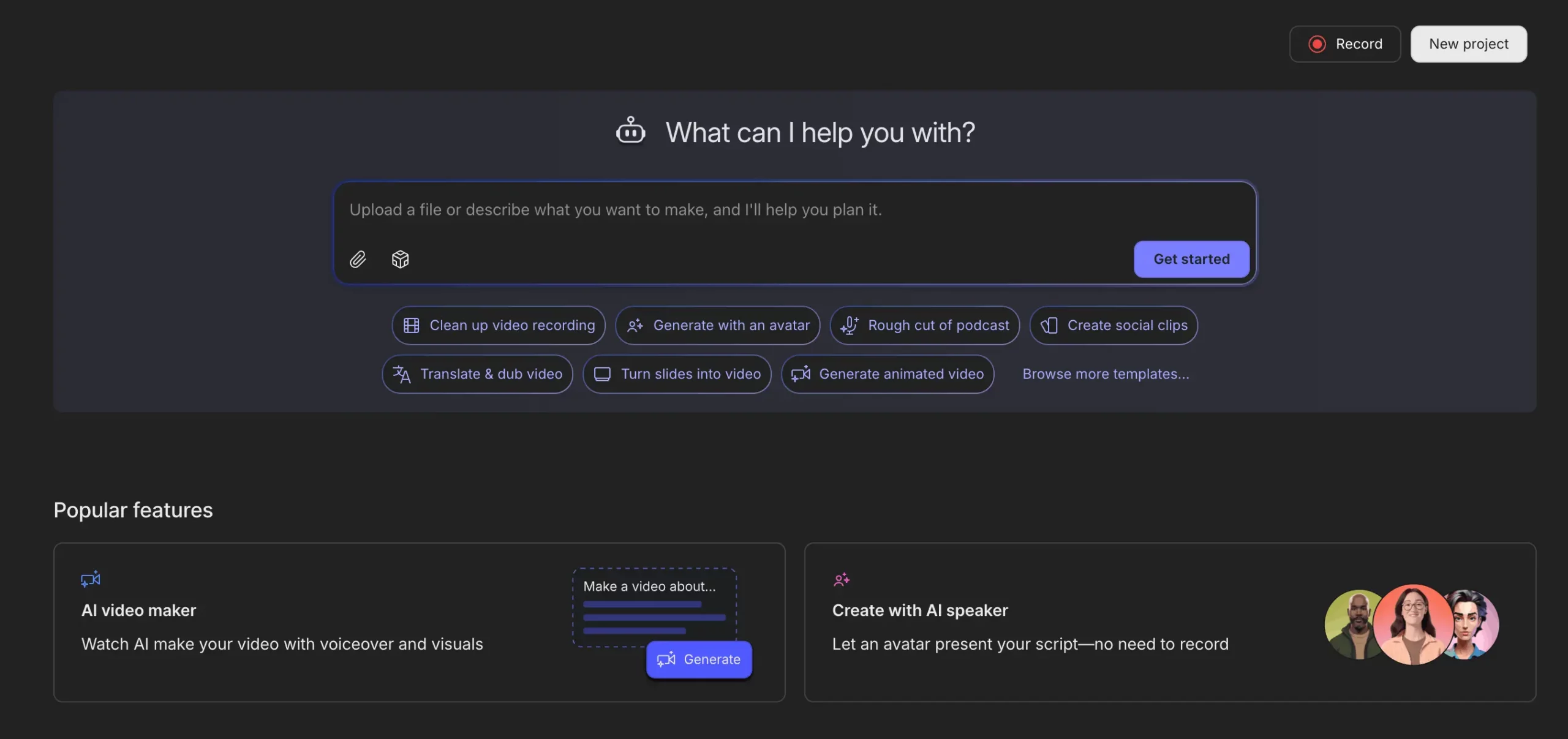
I think that’s better for marketing teams, as most AI work is revisions. A product name changes. A claim needs to be softened. A new CTA replaces the old one. You don’t want to reopen the whole production process just to change one line.
The best reason to use Descript is speed. If you publish demos, webinars, tutorials, and sales enablement videos, you already know how often you need to tweak a sentence after the fact.
Descript is designed for that. You can edit the script, regenerate the audio for only the section you changed, and keep the rest of the project intact. That saves time and it reduces the ‘this edit will break everything’ feeling that slows teams down.
Key features:
- Text-based editing for audio and video. Edit words in the transcript and use that to drive your edits.
- Text-to-speech voiceovers inside the editor. Generate voiceover from a script without leaving the project.
- Overdub for fixes. Replace or add lines without re-recording, which is useful when someone misspoke or you need updated wording.
- Captions and clip workflows. Useful for turning longer videos into short assets for social.
- Business adds team collaboration features like Brand Studio, plus more advanced options for multi-language work.
Pros:
- Best-in-class for revision-heavy marketing workflows. You can update lines fast without rebuilding the project.
- One tool covers the full workflow for a lot of teams. Script, voiceover, edit, captions, export.
- Good fit for teams that ship often. Weekly publishing, frequent product updates, ongoing campaigns.
Cons:
- If you only want a voice generator, it can feel like too much software. You’re paying for editing and workflow tools you might not use.
- You still need to QA the final audio. Any TTS output can need small tweaks for names, pacing, or emphasis.
- Plan limits. Media hours and AI credits are tied to tiers, so heavy production teams may need higher plans.
Descript works best when voiceover is part of a recurring production system. Marketing teams get the most value when they treat it like an editing hub. Keep the project files there, make updates there, and export from there. If your team is constantly making small changes to published content, Descript turns those into routine edits instead of mini re-productions.
Integrations: Works well alongside common marketing workflows because it exports clean video and audio files for whatever you publish in, and it’s built for team collaboration on the higher tiers.
Quick tip: Build your video scripts in small sections (intro, problem, solution, proof, CTA). When something changes, you can regenerate only the affected section instead of redoing the whole voice track.
WellSaid Labs
Best for: Clean, professional voiceovers that stay consistent across a brand.
Pricing: Free trial. Creative is $50 per user/month. Higher tiers available.
WellSaid Labs is built for marketing teams that need a brand narrator-style voice that maintains consistency across different content. It’s a strong fit for product videos, customer education, internal comms, and sales enablement, where the voice should sound consistent across every asset.
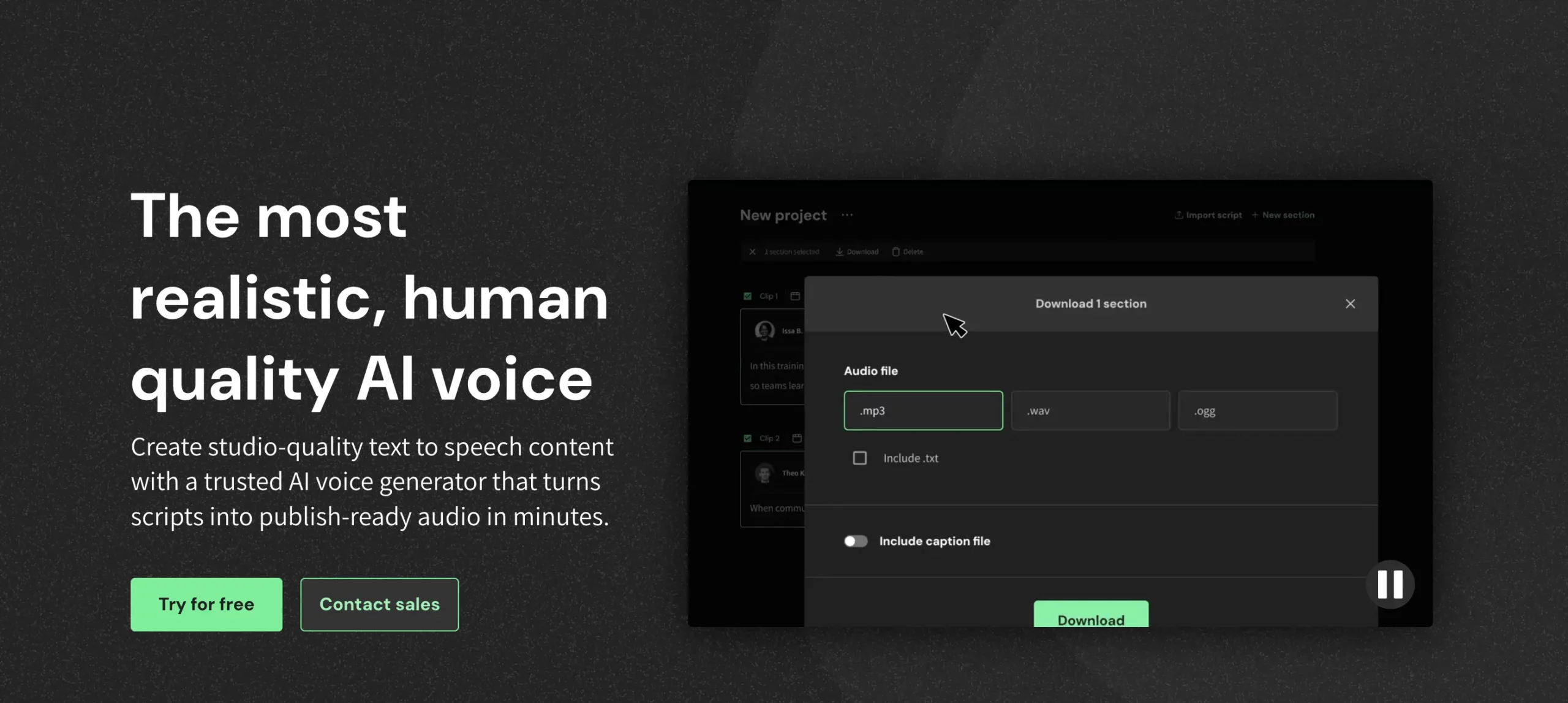
Its differentiator is how it handles pronunciation and long scripts for brand content. It has built-in tools for fixing tricky words, including phonetic respellings and team pronunciation libraries, so product names, acronyms, and industry terms stay consistent.
It also pushes verbal cue controls (pace, pitch, loudness) instead of making you rely on SSML-style markup, which keeps the workflow simple for marketers who don’t want to learn formatting rules.
Key features:
- 120+ licensed voices designed for commercial work
- Accents and regional options (for example, US regional accents plus UK, Australia, Canada, Ireland, New Zealand, Scottish, South African English, and more)
- Style options like narration, conversational, promo, and character-style reads
- Pronunciation controls so brand names and acronyms stay consistent across projects
- Integrations that support common marketing workflows, including voiceover add-ons and an API for teams that want to plug it into their process
Pros:
- Very consistent output across a campaign, even when multiple people on the team generate audio
- Clean marketing narrator sound that works well for explainers, training, and product content
- Curated voice library makes voice selection faster than platforms with huge community catalogs
Cons:
- Not a budget option if you need a high volume of long-form audio every month
- Best suited to professional delivery. If you need emotional range or character acting, you may prefer a tool built for that style
- Plan limits and packaging can be a factor for teams, so you’ll want to confirm what your tier includes before you standardize on it
WellSaid works best when you want a repeatable voice for marketing. Teams usually see the most value when they pick one primary voice per brand and stick to it for a quarter. That keeps ads, product videos, and enablement content consistent without extra effort.
Integrations: Voiceover add-ons for creative workflows plus options for API-based workflows.
Quick tip: Create a simple brand voice rule. One primary voice for product and training. One secondary voice for promos. Keep those locked for a quarter so every new asset sounds like it belongs to the same brand.
LOVO AI (Genny)
Best for: Teams with high output for voiceover, captions, and basic editing in one place.
Pricing: Free plan. Basic is $24 per user/month. Pro is $48 per user/month.
LOVO is a good fit when your workflow looks like this: Write the script, generate the voice, add captions, make a simple video, and publish. It’s built for the kind of marketing output most teams ship every week, like explainer videos, product walkthroughs, training-style content, internal comms, and sales enablement clips.

Where LOVO helps is reducing the need to switch tools. Most teams start with a voice tool, then bounce to a caption tool, then into a video editor. LOVO tries to keep those steps in one place. That’s useful when your goal is volume and consistency, not a custom, high-touch production process for every asset.
It’s also a strong option for multi-market work. LOVO has a large voice catalog and broad language coverage, important for when you need to localize scripts, create regional versions of ads, or keep one core video format but swap language and voice for each market.
Key features:
- 500+ voices across 100+ languages
- Auto subtitle generator with subtitle styling options, so you can match your brand look
- Built-in editor for basic video assembly, so you can get from script to export without moving files
- Voice cloning options that scale with plans (including higher limits on Pro and above)
- Monthly voice generation limits by plan. Basic commonly includes around 2 hours/month and Pro around 5 hours/month
Pros:
- Good all-in-one setup for marketing teams producing lots of videos
- Strong fit for recurring content formats, especially training, explainers, and product updates
- Large voice and language coverage for localization and variants
- Captions and export in the same workflow, which saves time for social and paid assets
Cons:
- Plan limits are time-based. If you produce lots of variants, you can hit monthly hours quickly
- If you already have a strong editing stack, you may not use enough of the extra features to justify the cost
- Voice quality can vary by voice. Teams usually need to shortlist a few voices and standardize
LOVO works best when your team wants one tool that covers most of the job. Marketing teams usually get the best results by standardizing on a small voice set per brand and using the same subtitle style template across every video. That keeps output consistent even when multiple people are producing content.
Integrations: Works as a web-based studio. Some teams use it alongside their existing design and editing tools by exporting voice tracks and captions.
Quick tip: Before you pick a plan, estimate your monthly output in minutes. Take one typical video script, generate the full voiceover, then multiply by how many videos and variants you ship each month. That tells you quickly whether Basic will be enough or if you’ll outgrow it in the first month.
Resemble AI
Best for: Voice cloning and localization with custom voice options.
Pricing: Flex is pay-as-you-go. Starter is $5/month. Creator is $19/month.
Resemble AI is built for teams that want a custom voice that can be a reusable brand asset. Rather than picking a voice from a library, Resemble is designed around creating and managing your voice, then using it without re-recording. Useful when you’re running ongoing campaigns, shipping recurring video series, or supporting a product with frequent updates.

Resemble is also a good choice for localization when you care about keeping the same voice identity across markets. Instead of switching to a completely different voice for each language, it’s built to translate and dub while keeping the voice character recognizable, which helps if you want one voice associated with your brand globally.
Key features:
- Rapid Voice Clone and Professional Voice Clone options, so you can choose ‘fast setup’ or ‘higher-fidelity brand voice’ depending on the project
- Translate and localize into 150+ languages (plan-based), which helps when you’re turning one campaign into many market versions
- Speech-to-speech voice conversion, which lets you record a line once and convert it into the target voice while keeping timing and delivery closer to the original
- Audio editing tools for fixing or replacing lines without re-recording entire sections
- High-definition output options (plan-based), which is useful when you’re producing content that needs to sound clean in video and paid placements
Pros:
- Strong fit when you want a custom voice you can reuse across many assets
- Localization features are built in, which reduces the new language, new voice problem
- Speech-to-speech can save time when you want a specific delivery but don’t want to rely on text prompts to get it right
Cons:
- More setup than a basic type text, export voice tool. You’ll spend time creating the voice, naming it, and setting pronunciation rules
- You need internal process around approvals and usage, especially if multiple people can generate audio with the brand voice
- Best results usually come from standardizing how you write scripts and how you generate output, not ad hoc use
Resemble works best when your team is ready to commit to a voice and reuse it. Most marketing teams get the most value by building one main brand voice, locking pronunciation for product names and acronyms, then using that voice for every recurring format, like demos, onboarding clips, paid social variations, and localized versions.
Integrations: Web studio plus API access for teams that want voice generation inside internal workflows.
Quick tip: Don’t start with ‘clone everything’. Start with one core brand voice and one core script type (for example, paid social). Lock pronunciation for product names and acronyms first. Once that sounds consistent, expand into localization and additional formats.
VEED
Best for: Marketers who want a video editor with AI voice generation.
Pricing: Free plan available. Lite is $19 per editor/month. Pro is $49.
VEED is a video editor that includes text-to-speech, not the other way around. So it’s a great choice for marketing teams that need a finished video. It’s built for the full loop. Create a video, add narration, generate captions, format it for social, and export without multiple tools.
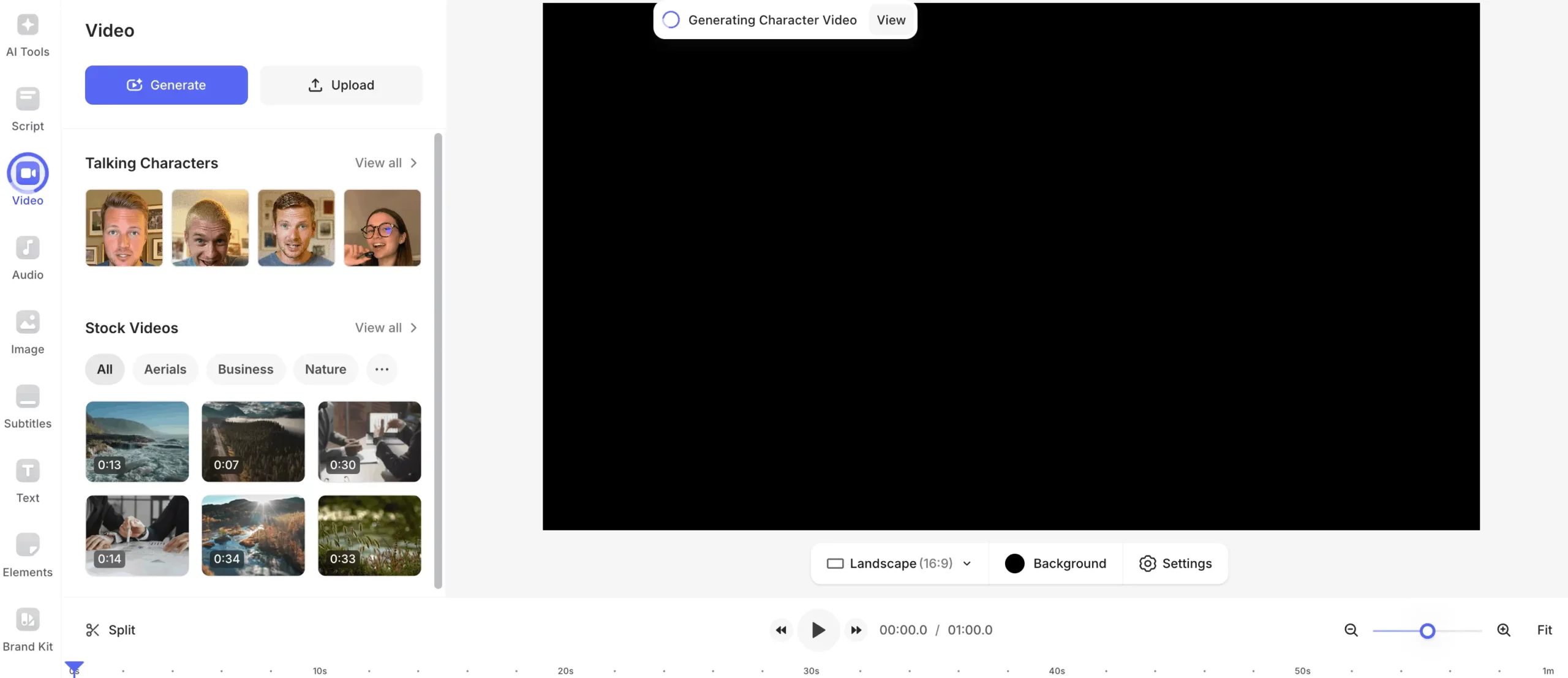
VEED is different from the tools in that it’s designed around the jobs marketers do every week. Turn a webinar into clips. Make a product update video. Produce five variants of the same ad with different hooks. Add captions that match your style. Localize a version for another market.
It’s also one of the better picks in this list if you want AI video workflows like turning long videos into short clips, creating simple talking-head style content, and doing quick translations and dubbing. If your team is pushing volume, those features are often more useful than having the best standalone voice quality.
Key features:
- Text-to-speech voiceover inside the timeline so narration behaves like an editable video layer
- 50+ languages for text-to-speech voiceovers, which helps when you’re making multi-market versions
- Voice cloning for teams that want the same voice across different scripts, including support for multiple languages (VEED states 25+ languages)
- Dubbing and translation tools for quick localized versions without rebuilding the whole edit
- Auto subtitles with styling so your captions can match your brand instead of looking default
- AI Clips to cut long videos into short, shareable segments for social
- Templates and Brand Kit so multiple people can produce videos that look consistent without a designer in the loop
- AI avatars and talking content options, if you want voic,e plus a face, without filming a person every time
Pros:
- Good choice when you want to ship finished marketing videos fast, not just generate audio
- Strong for repurposing workflows. Webinars to clips, long demos to shorts, one script to multiple variants
- Built-in captions and resizing make it easier to publish platform-ready assets
- Useful for teams because brand styling and templates keep videos within the same consistency
Cons:
- Voice quality is usually good enough, rather than best-in-class, compared to voice-first tools
- Plan limits. Some AI features and usage allowances (like translations, avatars, or generation tools) can be capped depending on the tier
- If you already have a full editing stack and you only need voice, you may pay for features you won’t use
VEED works best when voiceover is just one step in a high-output workflow. If you’re producing many social videos, frequent promos, or repurposing content constantly, it’s editing, captions, templates, and localization features can save more time than a voice-only tool.
If the voice itself is the main selling point of the creative, you’ll usually generate the voice in a voice-first platform and edit elsewhere.
Integrations: VEED is mainly a browser-based studio. Most teams integrate it by exporting finished videos (with captions burned in or downloaded) into their ad platforms, social schedulers, and landing page tools.
Quick tip: Don’t treat VEED like one big project file per campaign. Build a small set of templates instead. One for UGC-style ads, one for product updates, and one for webinar clips. Lock subtitles, safe areas, and brand elements once, then swap the script, footage, and voiceover for each new version.
CapCut
Best for: Social-first teams making high-volume short-form video.
Pricing: Free plan available. Pro is $19.99/month or $179.99/year.
CapCut is built for the way short-form is produced now. Instead of making one final cut, you’re making 10 versions. You’re swapping hooks, changing the first two seconds, updating captions, and exporting in the right format for each platform.

CapCut is one of the fastest tools for that loop because it’s designed around templates, captions, and quick edits, not traditional editing.
The text-to-speech feature is not an isolated voice tool. It’s part of a workflow that already includes captions, on-screen text, effects, and resizing. That’s why CapCut is popular with social teams. You can go from script to a finished short with voiceover and captions without touching other tools.
Key features:
- Text-to-speech inside the editor so narration sits directly on the timeline with the rest of the edit
- AI captions that generate timed subtitles quickly, plus caption templates so your captions don’t look generic
- Bilingual captions for teams trying to reach multiple audiences with the same video
- Templates and format presets for TikTok/Reels/Shorts, including resizing and safe-area friendly layouts
- High-volume editing tools like quick trimming, overlays, effects, and sound cleanup features that speed up production
- Script-to-video style tools for turning a script into a basic video structure faster when you’re starting from scratch
Pros:
- One of the fastest ways to ship short-form videos with voiceover and captions
- Great for producing variants for testing hooks, CTAs, and different audiences
- Caption templates and styling help keep videos consistent without a designer on every post
Cons:
- Voice options and controls are simpler than voice-first platforms, so you get less control over pronunciation and delivery
- If you need strict brand approvals or a single reusable ‘brand voice’ across campaigns, you may outgrow it
- Best for short-form. Long narration and high-stakes paid ads usually benefit from a dedicated voice platform
CapCut works best when output speed is the priority, and it’s short-form content. Social teams get the most value when they use CapCut like a production system. Build templates, lock caption styles, and keep a small set of voice choices that match your brand. Then every new video is mostly swapping the script, clips, and the first two seconds.
Integrations: CapCut is mostly self-contained. Most teams integrate it by exporting finished videos and pushing them into their publishing tools and ad workflows.
Quick tip: Standardize two caption styles and one voice style per content type (UGC-style ad, product demo, educational tip). If every video starts with a new caption look and a new voice, your feed will feel inconsistent even if the message is good.
Clipchamp
Best for: Simple marketing videos with a voiceover inside an editor and minimal setup.
Pricing: Free plan available. Paid depends on your Microsoft plan and features.
Clipchamp is the pick for teams that just need narration added to a video. It’s built for common marketing tasks like quick product demos, internal updates, tutorial clips, lightweight promos, and sales enablement videos.
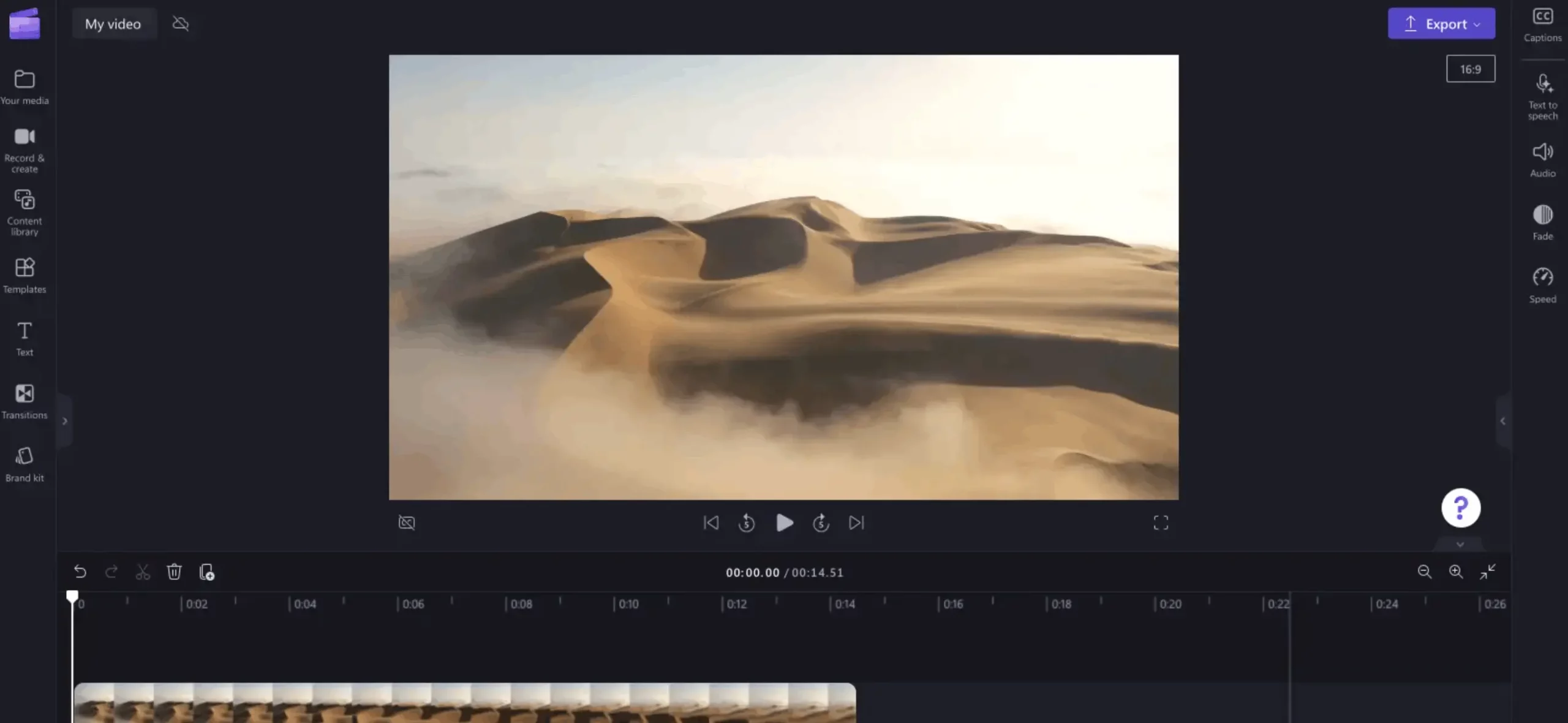
If your goal is to ship clean videos, it keeps the workflow simple. Write the script, drop it into text-to-speech, place it on the timeline, add captions, export.
What’s unique is that it’s not trying to be a voice platform. It’s an editor with voiceover included, which works well for teams that are already in the Microsoft ecosystem and don’t want another subscription and another workflow.
It also fits teams that need quick version updates, like changing one feature name, swapping a CTA, or updating a date, because the voiceover lives inside the project file. You don’t have to manage audio file exports and re-imports for every small change.
Key features:
- Text-to-speech built into the editor so narration is part of the timeline, not a separate tool
- Voice and language selection for quick localization or regional versions
- Simple voice controls like pace and pitch to fit a line to a scene
- Captions and basic on-screen text tools for shipping accessible, platform-ready videos
- Template-style workflows that help non-editors produce consistent videos quickly
Pros:
- Easy for marketers to use without training
- Fast for ‘get it out the door’ videos where voiceover is one step in the build
- Works well when your team already uses Microsoft tools and wants fewer moving parts
Cons:
- Voice quality and variety are not the main selling point, so it won’t beat voice-first tools
- Limited fine control for pronunciation and delivery compared to dedicated voice platforms
- Best for short and medium scripts. Long narration and high-stakes ads usually sound better with a voice-first tool
Clipchamp is best when the editing workflow is important. If you’re producing internal comms, onboarding clips, quick tutorials, or simple product updates, it’s often enough.
If you’re producing paid ads where the voice is doing a lot of persuasion work, you’ll usually want to generate the voice in ElevenLabs, WellSaid, Murf, or LOVO and then edit the video elsewhere.
Integrations: Fits naturally into Microsoft workflows and exports standard video formats you can drop into ad platforms, social schedulers, and LMS tools.
Quick tip: Don’t generate one long voice track for the full video. Generate voiceover in scene-sized chunks. When a line changes, you replace only that chunk instead of rebuilding the whole narration.
Final Verdict: Which Should You Choose?
If you want the most realistic marketing voiceovers, choose ElevenLabs. It fits when you’re making ads, product videos, and explainers and you care about how natural the pacing sounds, whether the voice can handle emphasis, and whether it stays clean on longer scripts.
If you want the smoothest production workflow for a marketing team, choose Murf AI or Descript. Murf fits when you need to generate voiceovers quickly and tweak delivery without re-recording. Descript fits when your pain is edits and updates, like swapping a line after legal changes, updating a feature name, or fixing a sentence inside an existing video.
If you want a professional narrator-style voice for product marketing and enablement, choose WellSaid Labs. It is a strong option when you need a small set of business-ready voices, strong pronunciation control for product terms and acronyms, and a voice you can reuse across a lot of training, onboarding, and sales content.
If you’re producing high-volume content and need speed more than perfect voice quality, start with CapCut, VEED, Clipchamp, or LOVO. CapCut is best for short-form social output and quick variants. VEED is best when you want browser editing plus captions and templates.
Clipchamp is best when you want basic voiceover inside a simple editor. LOVO is best when you want voiceover, captions, and simple editing in one place for recurring marketing videos.
FAQs: Best AI Voice Generators
The best AI voice generators for marketing voiceovers are ElevenLabs, Murf AI, WellSaid Labs, LOVO AI (Genny), Resemble AI, Descript, VEED, CapCut, and Clipchamp.
ElevenLabs is usually the best choice if you want the most natural-sounding voice for ads, product videos, and explainer scripts.
For marketing videos, the best fit is WellSaid Labs for polished narration, Murf AI for fast voiceovers you can revise easily, and Descript when you need to update lines inside an existing edit without re-recording.
CapCut and Clipchamp are the best free starting points for marketers because they let you add a voiceover inside the editor and export a finished video without extra tools.
Look for voice quality on your script type, voice variety you’ll actually use, pronunciation controls for brand terms, a workflow that makes revisions easy, and clear commercial usage rights.
Most tools allow commercial use, but the rules depend on the plan and the voice, so you should confirm usage rights before publishing paid ads or client work.
Text to speech uses an existing voice to read your script, while voice cloning creates a custom voice based on recordings of a person or a brand voice.
AI voiceovers work well when the script is written for spoken delivery and the voice sounds natural, but they tend to perform poorly when the voice sounds generic or the script reads like written copy.
Write shorter sentences, add pauses where you want them, spell out brand names the way they should be said, generate in short sections, and produce a few versions so you can pick the cleanest read.
WellSaid Labs is a strong pick for consistent professional narration, while Resemble AI is the better choice when you want a custom brand voice through cloning and reuse it across campaigns.