
Most marketers, including myself, currently believe that LinkedIn punishes posts that include a URL in their post. After looking at the data, I don’t believe that’s true. It only punishes posts that include a link without adding value in the post body.
LinkedIn itself says posts with links are not automatically penalized. But that hasn’t ended the debate.
That’s why you see most posts in the feed now include a link in the comments instead.
The problem is that the public data is mixed. Some large studies say posts with links can do well. Other studies and tests still show no-link posts getting more reach.
So the real question is whether putting the link in the post or the comments actually changes performance.
Learn more in my LinkedIn Marketing guide.
What LinkedIn Says About Including Links
LinkedIn’s position is that posts with links are not automatically pushed down just because they include a URL. That came through in Rishi Jobanputra’s public comments in 2025, and the same message showed up again in a March 2026 journalist briefing later shared by Matt Navarra and Jack Appleby.
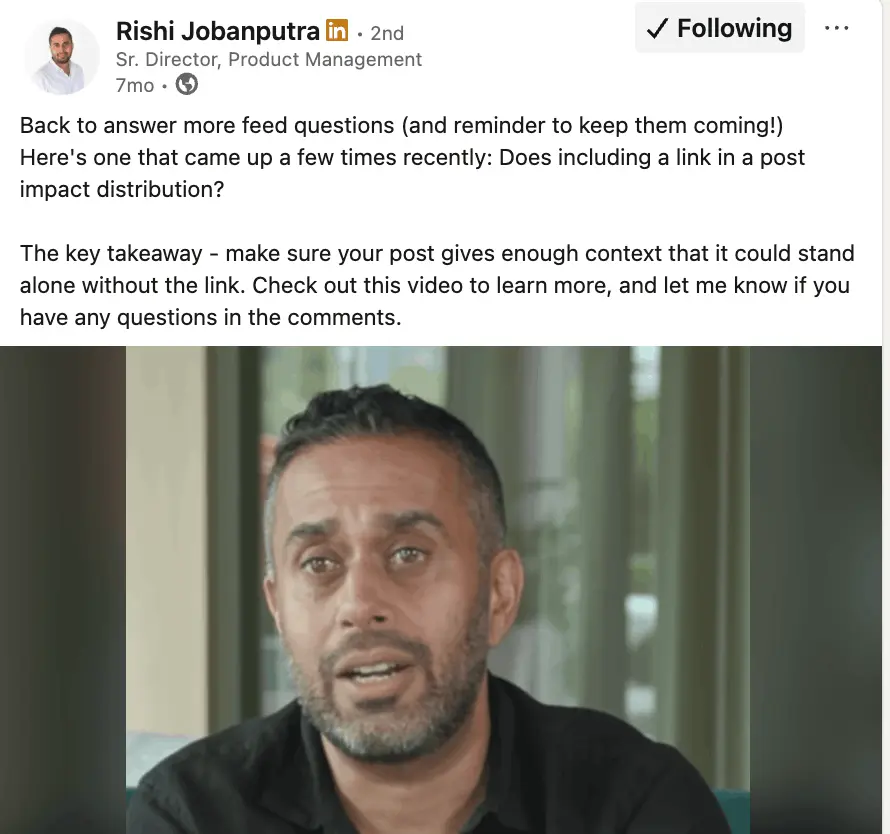
But LinkedIn isn’t saying links never affect performance. It’s more specific than that. Jobanputra’s explanation is that the post needs to make sense by itself, with the link acting as extra context rather than the whole point of the post.
This is LinkedIn drawing a line between a valuable post that happens to include a link and a post that is there to get users to leave the platform.
In the feed, LinkedIn says suggested content is retrieved from a large pool using textual signals and language-model-based representations, then tested against engagement outcomes.
That doesn’t prove links are neutral. It shows that the algorithm is using a more complex system that can impact post-performance compared to the URL being the cause.
LinkedIn’s own product and marketing docs also mention that it supports sharing links, tracks visits to links in post analytics, and even advises Pages to use tracking links.
So LinkedIn says the link itself is not an issue. The issue is whether the post gives people enough reason to stop, read, and interact before they move on or click away.
What The Data Shows
What LinkedIn claims and what works can be different in practice. So I wanted to bring in multiple external studies and data samples to see whether a conclusion can be drawn.
Company-page studies say links can work
The strongest case for links comes from a Metricool study. Across 577,180 LinkedIn posts from 47,735 pages, posts with links had 13.57% more interactions and 4.90% more views than posts without links. About 31% of posts in the sample included links.
On page-level publishing, at least, the idea that any link drags down distribution doesn’t hold up. This is mostly page data, not a clean analysis of personal posts.
Company pages are more likely to publish content where the click is standard practice, like reports, webinars, hiring posts, and product updates.
Thom Gibson’s critique of the Metricool study gets at the same problem from the measurement side. He argues Metricool is likely looking at company pages, where clicks are tracked, while personal posts are a different comparison.
So Metricool is strong evidence against a blanket anti-link rule, but it’s not a final answer for all posts.
Other data findings included Saywhat, who reported that posts with 3+ links got 140% better reach across 223,996 posts. Will McTighe and Chris Donnelly later reported 236% better reach for posts with 3+ links in a Q3 2025 analysis of 318,842 posts.
Those findings are interesting because they aren’t really about a normal single-link promo post. They point to a different kind of content, where the links are part of a resource list, not just a push to one landing page.
So perhaps LinkedIn’s algorithm distinguishes the value between a resource list and a link to push people off-platform.
Some studies still lean against links
Once you move closer to personal-profile posting, things change. A Lightspan and Socialinsider study looked at 86,504 posts from 883 LinkedIn pages and found that posts with no links did better across all post types.
Their clearest example was a single-image post with no link, which saw an engagement rate 70% higher than the same format with a link. Even though the study is older, it still lines up with how marketers see LinkedIn’s reach today.
Richard van der Blom’s LinkedIn Algorithm Insights report showed that external links reduce reach by 40–50% on personal posts and 25–35% on company posts.
Jeffrey Zhao says Ordinal analyzed about 1 million data points and found posts without links averaged about 50% more impressions than posts with links. He also says the gap widened from 2023 to 2025, and that no-link posts were ahead in 87% of weeks across the last three years.
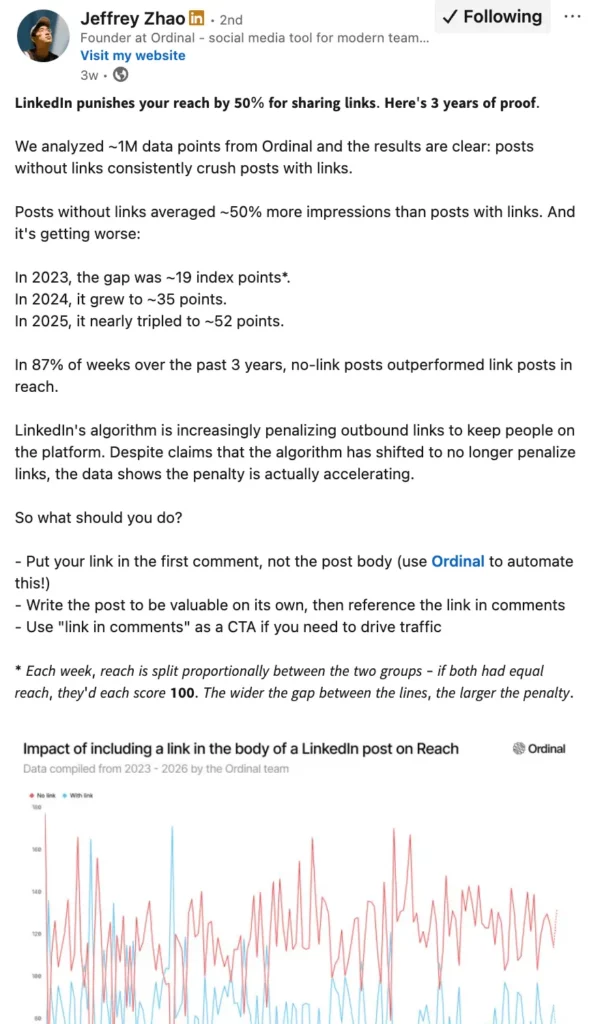
These reports both lead to the same advice; if the goal is reach, leave the external link out. If the goal is conversion, put the link in the post rather than hiding it in the comments.
This is where the split in the data starts to make more sense. A company page and a personal profile are not the same. Page posts can perform fine when the click needed.
Personal posts are usually trying to keep people in the feed long enough to get reactions, comments, saves, and shares.
That doesn’t prove every linked personal post will do worse. But it does help explain why page-heavy studies look more link-friendly than creator-side ones.
Small tests show link placement doesn’t explain everything
The smaller tests show how messy this gets at post level. Agorapulse tested a question on its CEO’s personal profile and got two different outcomes. A text-only post that used the link-in-comments approach got 628 impressions.
A post with the link in the body reached 1,238 impressions and became the second-highest performing post of the month. Posts featuring the CEO averaged 1,181 impressions compared to 800 without.
In that test, the creative carried more weight than the link placement.
Kristen Sesto’s test points in the other direction but leads to a similar conclusion. The reported drop was about 45% for a link in the post body, about 15% for a first-comment link posted by the author, and about 5% for a first-comment link posted by someone else.

The linked version reached 5.45% of followers compared to 20.06% for the no-link version. That does suggest a link in comments can soften the drop compared with an in-post link. But it still performed worse than the no-link version, so the comments tactic doesn’t look like a full workaround.
Put together, these tests and data show:
- Links don’t always hurt performance. Some company-page studies show posts with links can get strong views and engagement.
- On personal posts, links often come with lower reach.
- Putting the link in the comments is not a clear win. In some tests it performs better than putting the link in the post, but it still doesn’t perform like a post with no link.
The problem, and what’s missing here, is the quality of these posts analyzed. As LinkedIn stated, links are fine and will not hurt performance if the post itself provides good value by itself.
All these tests analyzing 1000s of posts with/without links, aren’t looking at the quality of posts. Therefore, a clear conclusion can’t be drawn from that.
Does Adding a Link in Comments Help?
If a LinkedIn post is made with the intention to send the user somewhere, a link in the comments can help.
That’s one possible reading of the data. Putting the link in the comments can reduce the performance drop compared with putting it in the post. But that’s not the same as performing like a post without a link, or that it’s the best option.
Marketers assume putting the link in the comments is better than putting it in the post. The evidence is not strong enough to support that as a practice for every post.
Kristen Sesto’s test suggests comments can be less damaging than an in-post link. Agorapulse shows the opposite can happen when the post is of higher quality. Richard van der Blom’s view is if clicks are the goal, put the link in the post. Not the comments.
The point here is not that comments are better. It’s that comments are often used to stop weak or promotional posts from taking a bigger hit. That may help in some cases. But it’s still a compromise.
A company post shouldn’t need a workaround to get basic reach. If the post gives people something useful on LinkedIn, the link is less likely to be a problem. If the post doesn’t give people much until they click, moving the URL to the comments won’t fix it.
Value Is More Important Than Link Placement
Link placement is not the main thing that determines how a post performs.
LinkedIn isn’t saying that posts with links are the issue. The problem is when the post gives users no value on LinkedIn and asks them to leave straight away. That helps explain why weak posts focusing on ‘click here to learn more’ perform badly, whether the link is in the post or in the comments.
Although social media is usually part of a wider strategy – a ‘teaser’ for content to move interested users to the next step via a link – those tactics are becoming obsolete. So if you’re treating LinkedIn as a traffic source and wondering why it’s not working, it’s because it should be treated as a primary channel.
What I would do:
- Ideate and plan posts based on what your users would want to know, what would help them, what they would find interesting, etc.
- Create the post from those perspectives.
- Once the post in finished and ready to publish, add a relevant link.
This way, you aren’t creating the post while focused on sending the user somewhere else, it’s value first, action later.
Do Links Hurt LinkedIn Performance?
My view is that links don’t directly hurt LinkedIn performance on their own.
What hurts is using a link as a substitute for the post. When the post is lacking information or value, performance drops. When the post gives users something useful, a link is more like a logical next.
As I already mentioned, many of these large data studies fail to look at the content quality within each post. So it’s easy to assume links are the problem when those posts didn’t perform.
Of course, a post with little value and no link still might perform better compared to with a link, but that’s not the point.
Others have come to the same conclusion:
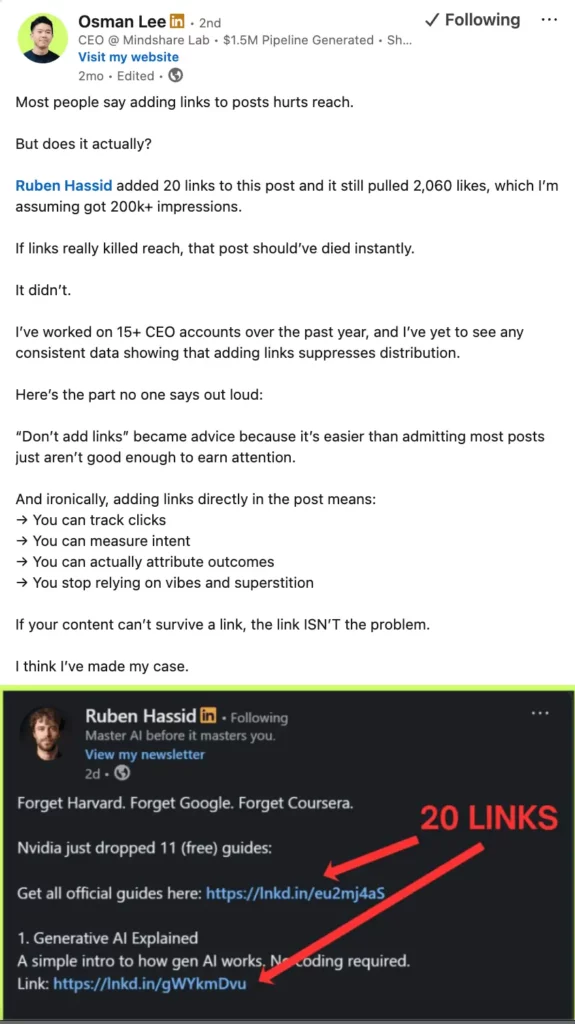
Osman Lee has argued that ‘don’t add links’ became an easy excuse for weak content, and that if a post cannot handle a link, the link is not the real issue.
Matthew Hunt says that low-quality content hurts reach far more than where the link is, and that hiding links in comments can be worse because people don’t see the call to action.

On the other side, there are active users who see a downside.
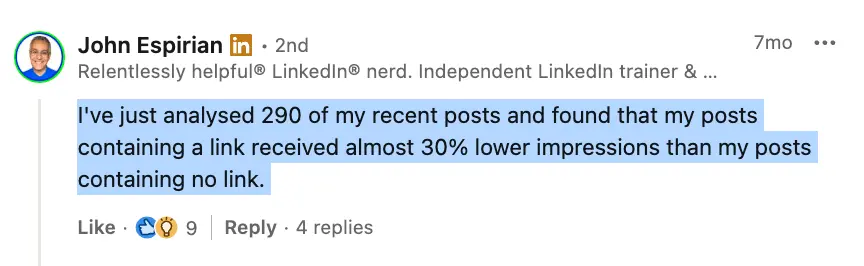
John Espirian says his own review of 290 recent posts showed almost 30% lower impressions on posts with a link.
Eva Jannotta also backs the view that outbound links hurt reach, even stating that an employee at LinkedIn confirmed this was the case.
My conclusion: I don’t think LinkedIn is hitting every post with a URL. I think it’s worse for posts that are thin, over-promotional, or only depend on a click.
That’s why a link in comments can help in some cases, especially when the post is mainly there to drive action. But I wouldn’t treat that as the answer.
FAQ – LinkedIn Links
LinkedIn says it does not automatically penalize posts just because they include a link. But public studies still show that some posts with links get less reach, especially on personal profiles. The clearest pattern is that posts do worse when the link is doing all the work and the post itself gives very little value.
Sometimes, yes. Several creator-side studies and tests suggest posts with external links often get lower reach than posts without links. But that is not true in every case. Some company-page studies show linked posts can still perform well, especially when the post gives people useful context before the click.
Putting links in comments can help in some cases, but it is not a clear best practice. Some tests suggest a link in the comments performs better than putting the link in the post body. But it still does not consistently perform like a no-link post. It looks more like a compromise than a proven win.
There is no single answer for every post. If the goal is clicks, putting the link in the post can make more sense because people can see it straight away. If the post is likely to feel too promotional, putting the link in the comments may reduce the drop in reach. The public data does not support one rule for every situation.
Often, yes. A lot of public data suggests no-link posts tend to get more reach, especially on personal profiles. That is one reason many creators avoid putting links in posts. But this does not prove that the link alone caused the drop. In many cases, the bigger issue is that the post depends too heavily on the click.
No. This is one of the clearest splits in the data. Company-page studies are more likely to show that posts with links can perform well. Personal-profile studies are more likely to show lower reach on linked posts. That suggests LinkedIn users respond differently to links depending on the type of account and the kind of content being posted.
The best way is to make sure the post gives people something useful before they click. That could be the main insight, the key takeaway, a clear point of view, or a strong example. When the post already has value on LinkedIn, the link feels like a next step. When the post only says “read more here,” the link is much more likely to drag down performance.