

On-page SEO is the process of optimizing a single page to improve its performance on search engines.
Search engines rank pages, not websites. For every query, they pick a small set of URLs that look most likely to answer it based on the signals they see on each page. On-page SEO – titles, headings, copy, internal links, images, and basic tags tell search engines what the page is about and when it should show up.
A well-optimized page does two jobs at once. It earns its place in showing up for the right searches, and it helps the visitor get what they came for without extra steps.
When you treat on-page SEO as page level problem solving, results get easier to improve. You can audit one URL, spot what is unclear or missing, and make changes that can lead to better rankings, better clicks, and better on-page engagement.
Learn more: What is SEO?
What Is On-Page SEO
On-page SEO is the process of optimizing a single URL so search engines can evaluate, rank, and return it for relevant queries.
It focuses on the signals that exist on the page itself. Those signals tell search engines what the page covers, how focused it is, and how confidently it should compete in results.
On-page SEO starts with topic definition. The page needs a clear subject, a clear scope, and a clear primary query. Titles, headings, and body copy reinforce that focus by using consistent language and structure around one main problem or task.
Structure is part of the optimization. Headings create a hierarchy that shows how ideas relate. Paragraph order signals priority. Internal links place the page within a set of related pages, so its role is clear.
On-page SEO also includes descriptive elements that help search engines interpret the page. Title tags summarize the topic. Meta descriptions describe the outcome. Image alt text supports the main content instead of introducing new ideas.
When these elements align, search engines can test the page against specific searches with less uncertainty. That alignment is what helps a page to rank.
On-page SEO is page by page work. You review one URL, identify gaps in focus, structure, or signals, and adjust what is on the page until it clearly supports the query it is meant to rank for.
Planning on-page SEO means deciding what a page is for, which queries it should compete for, and how it fits with the rest of your content. You do this before you touch copy, titles, or links. Good planning stops you from creating overlapping pages, chasing random keywords, or publishing content that will never rank for anything meaningful.
When you plan well, each URL has a clear job, a defined query cluster, and a defined place in your site. That makes writing easier, makes internal linking obvious, and reduces the cleanup work later.
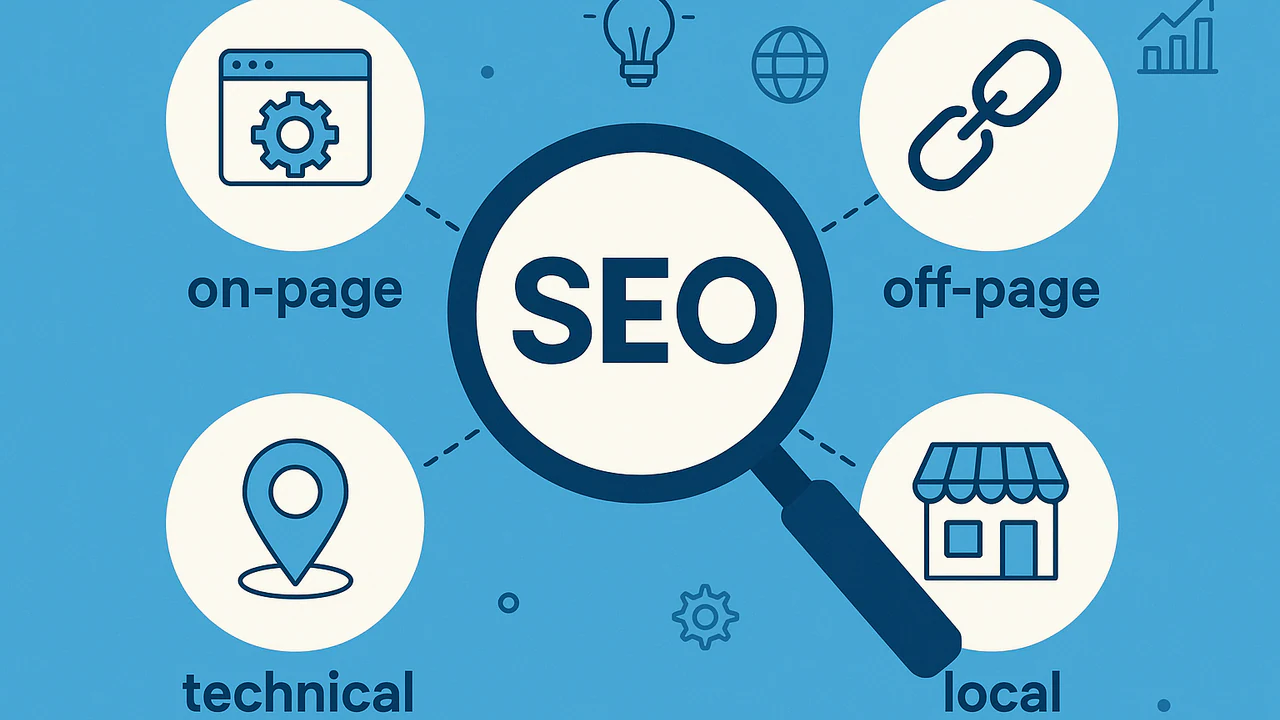
Read more on the 4 types of SEO.
How To Plan On-Page SEO
Planning on-page SEO starts before any writing or optimization begins. You define the page goal, choose the primary query it should rank for, and decide what the page needs to deliver to satisfy that query.
From there, you outline the topic coverage, the heading structure, and the supporting sections so everything points at the same search target. This step sets the constraints for the page and prevents drift, which makes the later work on titles, copy, links, and tags faster and more precise.
Define the primary job of the page
Every page should have one primary job. For example: explain a concept, compare options, sell a product, capture a lead, or support existing customers. You can still do secondary things on the page, but one job comes first.
Search engines and users both respond better to focused pages. A page that tries to educate, compare, and sell all at once usually ends up weak at all three and sends mixed signals about which queries it should rank for.
How to do it:
- Write a one-line purpose for the page: ‘This page explains…’, ‘This page helps someone choose…’, or ‘This page gets someone to start…’.
- Decide which action is the success state: a scroll depth, a click to a product, a signup, a download, or a support resolution.
- Use that job to filter ideas. If a section or asset does not support the primary job, remove it or move it to another page.
Build a keyword and topic cluster
A keyword and topic cluster is the small set of closely related queries that this page should serve. You pick one primary query and a handful of close variants and related phrases that show how people actually search around the topic.
A page rarely ranks for one exact keyword. It collects impressions across a cluster of similar queries. If you design for that cluster from the start, your headings, examples, and internal links will all align with how users search.
How to do it:
- Start from one primary query you care about (from Search Console, an SEO tool, or internal demand).
- Check the live SERP for that query and note related phrases in ‘People also ask’ and ‘Related searches’.
- Use your keyword tool and Search Console to pull 3–10 close variants with the same intent and similar wording.
- Keep only variants that belong on the same page. If a variant clearly needs different depth or a different angle, park it for another URL.
Map search intent
Search intent describes what the user is trying to do when they type a query. These fall under informational (learn something), commercial (compare or evaluate), transactional (buy or sign up), and navigational (reach a known brand or page).
You can’t force a transactional page to rank for an informational query that is dominated by guides, and vice versa. When the page type and format match the SERP, your chances of ranking and getting clicks increase.
How to do it:
- Look at the current top results for your primary query. Note what types of pages rank: guides, category pages, product pages, tools, or docs.
- Label the intent based on those results, not just your opinion. If most results are in-depth guides, treat it as informational even if you want to sell.
- Make sure the job of your page matches that intent. If not, either change the page concept or target a different query cluster.
- Use the intent label in your brief so writers and designers know whether they are creating a guide, a comparison, or a sales page.
Audit existing content for overlaps
Before you plan a new page, you need to know what you already have. Many sites have multiple URLs targeting the same or very similar topics without a clear reason. This splits signals and confuses both search engines and users.
Overlapping pages often cannibalize each other. Instead of one strong, clear result, you end up with several weak ones that struggle to rank. You also make internal linking and reporting more complex than necessary.
How to do it:
- Search your own site with site:yourdomain.com [topic] plus your main keyword and close variants.
- Export relevant URLs and group them by topic: which ones are about the same or very similar things.
- Check performance in Search Console and analytics: impressions, clicks, rankings, and organic sessions.
- Decide which URL is the best candidate for the topic based on quality and performance, and which ones are weaker or redundant.
Decide when to merge or redirect thin or similar content
Once you see overlaps, you need to decide what to keep, what to merge, and what to retire. Thin content or weak duplicates usually hurt more than they help, especially when they sit close to stronger pages on the same topic.
Consolidating content into a single, stronger page often improves rankings and engagement for the topic. It also gives your team fewer URLs to maintain and update over time.
How to do it:
- Keep the URL that has the strongest performance or the clearest fit for the topic. This becomes your main page.
- Take useful sections from weaker or thin pages and move them into the main page, updating and improving them as you go.
- Plan redirects from the retired URLs into the main page so any existing equity and traffic is preserved.
- Update internal links that pointed to the retired URLs so they now point to the main page.
Flag duplicate or near-duplicate cases for canonicals
Some duplicates are intentional or hard to avoid, like tracking parameters, printer-friendly versions, regional variants, or filtered views. In these cases, you usually keep multiple URLs but tell search engines which one is preferred.
Without clear signals, search engines may index and rank the wrong version or treat each version as separate weak pages. Canonical tags help consolidate signals to the main version.
How to do it:
- Identify patterns where the same or very similar content appears at more than one URL: parameters, session IDs, printer views, simple clones for campaigns.
- Decide which version should be treated as the main one from a search perspective.
- Document these cases and pass them to your SEO or dev team with a clear request: set or confirm canonicals that point to the preferred URL.
- Avoid creating new near-duplicate pages for small reasons like campaign tags or slight headline changes. Use the main page and track campaigns in other ways where possible.
How To Structure A Page And Content
Structuring the page is how you turn a topic and query into something people can scan, understand, and act on. It informs which sections exist, how in-depth each one goes, and in what order they appear. Structure comes before writing. If you get it right, writing is faster and the page is easier to maintain later.
Good structure reduces bounce, increases scroll depth, and makes it easier for search engines to understand what the page covers. Most underperforming content isn’t missing keywords. It’s missing a clear, logical outline that matches how people research the topic.
Plan a logical outline that mirrors how people research
A logical outline follows the path a reader would naturally take to solve their problem. That usually means starting with context, moving into core explanations, then into practical steps, examples, and options.
People rarely read top to bottom in a straight line. They scan for the part that matches their current question. If the outline matches their mental sequence, they find the right block fast and stay longer.
How to do it:
- Write down the main question or task the page solves.
- Break that into 3–6 sub-questions or tasks a reader needs to get through.
- Order these sub-questions from ‘first thing they need to know’ to ‘final decision or action’.
- Turn each sub-question into a clear section heading.
- Check that no section is doing two different jobs. If it is, split it or simplify it.
Use common blocks to cover the topic
Most strong pages reuse a few common blocks: an intro, core explanations, how-to guidance, examples, FAQs, and a clear CTA or next step. You don’t need all of them on every page, but picking the right blocks makes structure more consistent.
Repeatable blocks are easier to brief, easier to write, and easier to compare across pages. They also help readers know what to expect when they land on your content.
How to do it:
- Start with a short intro that states the problem and what the page covers.
- Use one or more ‘core explanation’ sections to define concepts and key terms.
- Add ‘how-to’ sections when the query has a task or process behind it.
- Add a small ‘examples’ or ‘templates’ block if the topic is abstract.
- Use an FAQ block when you see recurring questions in SERPs or support logs.
- End with a CTA or next step that fits the page’s job: another article, a tool, a signup, a product page.
Use SERP research to decide key sections
SERP research means looking at the pages that already rank for your target query and seeing what they cover. You’re copying them. You’re using them to understand what search engines and users already expect for that topic.
The SERP shows which angles and subtopics are proven to work. If all top results cover certain questions or comparisons and your page does not, you are making it harder for your content to compete.
How to do it:
- Open the top 5–10 results for your main query in new tabs.
- Skim their headings only. Note common sections and recurring questions.
- Look at ‘People also ask’ and ‘Related searches’ and list themes that match your page’s job.
- Decide which of these themes must appear on your page to fully answer the query.
- Add them to your outline using your own language and angle.
Write content that fully answers the intent behind the query
Once the outline is set, each section should answer a specific part of the intent behind the query. A section either explains something, shows how to do something, compares options, or helps a decision.
Partial answers cause users to jump back and forth. If a reader keeps needing to go back to the SERP to finish their task, the page will struggle to perform over time.
How to do it:
- For each heading, write one sentence that states what the reader will get from that section.
- Use that sentence as a check while you write. Every paragraph should help deliver that outcome.
- Avoid filler and long intros inside sections. Start with the answer, then add detail.
- Include edge cases and common objections when the topic involves risk, cost, or trade-offs.
- Link to deeper supporting pages if a side topic needs more detail than this page should hold.
Format for readability with short paragraphs, bullets, and tables
Formatting turns a wall of text into something people can scan. Short paragraphs, bullets, numbered lists, and tables help readers find the part they care about without reading every word.
Most users skim first and read second. If they cannot skim easily, many will leave even if the content is technically good.
How to do it:
- Keep paragraphs to 2–4 sentences where possible.
- Use bullets for lists of items, steps, pros and cons, or requirements.
- Use numbered lists when order or sequence matters.
- Use tables for comparisons, feature lists, or structured data that is easier to read in columns.
- Add descriptive subheadings every few paragraphs so readers know what each block covers.
Add summaries or key takeaways for longer topics
Longer pages benefit from summaries. A short summary or key takeaways block lets readers see the main points and decide whether to dive deeper.
Not every reader has the same time or intent. Some want a full guide. Others want a TL;DR version. Summaries help both groups without needing two separate pages.
How to do it:
- For long pages, add a short summary near the top that lists 3–5 key points or outcomes.
- At the end, add a ‘Key takeaways’ or ‘TL;DR’ block that includes a summary of key content.
- Write summaries in plain language, not keyword strings.
- Link from the summary into deeper sections when that helps readers jump to what they need.
Titles And Meta Tags
Titles and meta tags tell search engines what your page should rank for and tell users why they should click. If the content is solid, these are what you use to win the right impressions and better click-through.
SEO titles (<title> tags)
The title tag is the main label for the page in search results. It should include your primary keyword and a clear reason to choose your page.
A good title does three things: names the topic, matches how people search, and hints at the outcome. For example, ‘On-Page SEO Guide: How To Optimize Every Page’ is clearer and more useful than ‘On-Page SEO – Tips’.
Best practices:
- Put the main keyword early, but keep the line natural.
- Add a simple angle or benefit after it, not a vague slogan.
- Aim for a length that usually fits in the SERP without being cut off.
- Keep titles unique so pages do not compete with each other.
- Align the title with the H1 on topic and angle, without copying it word for word.
Meta descriptions
Meta descriptions sit under the title in the SERP and are like ad copy for the page. They don’t directly influence rankings, but they strongly influence click-through and help users confirm intent.
A useful description tells the searcher what they will get if they click, in the same language they used in their query. It should read like a short promise, not a block of keywords.
Best practices:
- Reflect the search intent: learn, compare, choose, buy, or fix.
- State the value of the page in one or two short sentences.
- Include the primary keyword or a close variant where it fits.
- Add a simple call to action when it feels natural, for example, ‘Learn how to…’, ‘See examples…’.
Handling titles and descriptions at scale
On bigger sites, the problem is usually inconsistency and gaps, not writing skill. Many pages ship with blank, duplicated, or template-only tags.
To keep this under control, review tags in batches. Use exports from your SEO tool or CMS to find patterns: sections with the same title everywhere, or content types with empty descriptions.
Fix those patterns at the template level first so new pages publish with better defaults. Then spend your manual time on the small group of URLs that matter most for revenue or lead flow.
Headings And URLs
Headings and URLs define what the page is about and how its topic is organized. Search engines use them to identify the main subject, understand how sections relate, and decide which queries the page can compete for.
Headings (H1, H2, H3)
Heading tags clearly structure the page for search engines and users. The H1 sets the topic of the page. It should state the primary subject clearly and match the main query the page is targeting, so there is no ambiguity about what the page covers.
H2s and H3s break that topic into defined sections. They outline the subtopics the page includes, show topical relevance, and help search engines associate the page with related searches through consistent language and structure.
For example:
H1: Main title with primary keyword
H2: Secondary headings for larger sections of content, including keywords
– H3: Subheadings to break up the larger H2 sections
– H4: Use if needing to break down H3 sections further
– H5: Same process…
Best practices:
- Use a single, clear H1 that matches the topic you actually want to rank for.
- Use H2s for the main sections from your outline: key subtopics, stages, or tasks.
- Use H3s only when a section genuinely needs nested detail.
- Avoid headings like ‘Introduction’ or ‘Conclusion’ on their own. Turn them into topical phrases, for example ‘What On-Page SEO Covers’ or ‘Key Takeaways From This Guide’.
- Check that someone can skim only the headings and still understand what the page offers.
URLs
URLs are a smaller ranking signal than content or links, but they carry clarity and trust. Clean, readable URLs are easier to share and less likely to cause problems when you scale.
A good URL tells you the topic in a few words and doesn’t change often.
Best practices:
- Use a short slug that includes the main keyword or its simplest form.
- Keep it lowercase, with words separated by hyphens.
- Avoid adding dates, tracking details, or internal IDs to core content URLs if you can control the structure.
- Avoid deep, unnecessary folders that do not add meaning.
- If you change a URL, plan redirects and update internal links so you don’t throw away the history of the page.
Navigation And On-Page Modules
Navigation decides how people move through your site once they land on a page. It also shows search engines how pages relate to each other. You may not build these modules yourself, but you should define what they show and how they support your content strategy.
Breadcrumbs give users a quick way to move up a level and see where they are in the structure. They also send a clear signal about parent and child relationships between pages.
A table of contents on long guides helps people jump directly to the section that matches their question, instead of forcing them to scroll and hunt. Both elements reduce friction and keep visitors on your pages longer.
Related articles or ‘next read’ modules keep users inside your topic cluster. They turn a single visit into a path across several pages that all support the same theme or funnel.
These modules work when you deliberately choose which pages appear and what order they show in. If you leave it to generic ‘related posts’ logic, you often end up promoting old or off-topic content.
Best practices:
- Use breadcrumbs on pages that sit inside a clear hierarchy and keep labels short and descriptive.
- Add a table of contents to long guides, based on your real H2/H3 headings, and place it near the top under the intro.
- Define specific targets for ‘related’ and ‘next read’ modules (pillar, deeper guide, product/CTA), then give that mapping to your dev/UX team.
- Review these modules on key pages a few times a year to remove weak targets and replace them with current, higher-value content.
Internal Links
Internal links connect your site pages into a logical structure. They help search engines discover URLs, understand how pages relate, and decide which pages carry the most weight in the site.
Internal links also concentrate ranking ability. Links from strong pages to priority pages send a clear signal about which URLs should be treated as important, especially for newer pages that don’t have many external links yet.
Anchor text and link placement provide context. The words in the link and the section it sits in help search engines interpret what the target page is about and which queries it should be tested against. Vague anchors weaken that signal. Repeated and inconsistent anchors create mixed topic signals.
Internal links should be planned. A page can be well written and still underperform if it is buried, orphaned, or only linked with generic anchors.
Best practices:
- Link from hub pages and other strong URLs into pages you want to rank.
- Link between closely related pages to reinforce topical clusters and clarify relationships.
- Use short anchor text that names the target topic or page type. Avoid ‘click here’ and ‘read more.’
- Add links to new priority pages from older relevant pages as part of the launch checklist.
- Audit for orphan pages and fix them by adding at least a few relevant internal links from indexed pages.
Images And Media
Images and media should make content easier to understand. Diagrams, screenshots, and charts can explain processes or show proof in ways text alone cannot. Generic stock photos usually add nothing, take up space, and slow down the page.
How you label and describe visuals is just as important. File names and alt text help search engines and assistive technologies understand what’s in the image. Captions help readers pick up the main point of a chart or screenshot.
An image should never replace text on a page. Crawlers and assistive technologies rely on text to understand content, and images alone cannot be interpreted, indexed, or accessed reliably, even when alt text is present.
Video and other embeds need text support around them. A brief intro sets expectations so people know whether the video is worth their time. A short summary or bullet list after the embed captures the main points and keeps the page useful for visitors who cannot or will not watch.
Best practices:
- Choose visuals that clarify concepts, show processes, or prove claims, and avoid generic stock where possible.
- Use descriptive file names and alt text that state what the image shows and why it is relevant to the section.
- Add short captions to charts, complex diagrams, and key UI screenshots to highlight the main takeaway.
- Surround videos and embeds with a short intro and a concise summary so the page stands on its own even without playback.
E-E-A-T, External Links, And Trust Signals
Trust signals are the on-page details that help search engines assess credibility and reduce uncertainty about a page. E-E-A-T is the framework those signals support. It is how Google describes the mix of experience, expertise, authority, and trust that quality evaluators look for.
E-E-A-T is the combined effect of reputable authors, clear accountability, accurate claims, and supporting evidence. Google’s own guidance on creating helpful, reliable content states that it’s demonstrating first-hand experience, showing expertise, and backing up information with sources and transparency.
Authorship is the easiest place to start because it’s explicit. A byline, a short bio, and a clear publisher identity give search engines information about who is responsible for the page. For topics that can impact health, money, or safety, adding an expert review line can strengthen accountability when it is real and documented.
External links help with verification. Linking to primary research, official documentation, and recognized standards gives search engines and evaluators a clear trail for factual claims. These links are about citing the sources that your content depends on, with anchor text that matches the source and the claim it supports.
Freshness is a separate signal, and it needs to be handled carefully. A visible last updated date can support time-sensitive queries with content changes. Updating dates without substantive edits can create inconsistencies over time, especially across large libraries of content.
It’s worth noting that E-E-A-T also relies on many off-page SEO factors; adding a bio and using credible sources is only a small part of it.
Best practices
- Add a byline and a short author bio that explains relevant experience and role.
- For YMYL topics, use expert review only when it is real and you can name the reviewer and their credentials.
- Cite what you rely on. Link to primary sources and official documentation when you reference data, standards, or definitions.
- Use anchor text that names the source and what it is, not generic wording.
Page Eligibility And Quality Checks
These checks are part of on-page SEO because they affect whether a page can be crawled, indexed, and evaluated correctly. A page can have strong content and still underperform if it sends the wrong indexation signals, loads poorly, or fails to present key page details in a consistent way.
Start with indexation. Confirm the URL is accessible to crawlers and not blocked by robots directives, noindex, canonical issues, or login gates. If the page cannot be indexed, it can’t rank.
Then check mobile rendering and load. Search engines evaluate mobile versions and page performance as part of overall quality assessment. Broken layouts, intrusive overlays, and heavy assets can reduce how well the content is processed and how well the page performs in search features that depend on usability.
For local landing pages, verify that the page contains complete location data and that it matches the business details used across the site. Incomplete or inconsistent name, address, phone, and hours weakens location relevance and can create conflicting signals across pages and listings.
Finally, validate share and preview tags as a quick quality check. Open Graph and related tags do not directly drive rankings, but they often reveal mismatches in titles, descriptions, canonicals, and images that can also impact how the page is understood and displayed in search.
Best practices
- Confirm the page is indexable. Check for robots blocks, noindex, incorrect canonicals, and login walls.
- Confirm the primary version is the one you want indexed. One URL, one canonical, consistent internal linking.
- Check mobile rendering for layout breaks, hidden content, and intrusive overlays that interfere with the main content area.
- Flag page-level performance issues such as oversized images, heavy embeds, and unnecessary scripts. Prioritize fixes on ranking and revenue pages.
- For location pages, confirm complete and consistent name, address, phone, and hours on the page.
- Test the preview title, description, and image to catch metadata mismatches that often track back to on-page tag issues.
Schema
Schema is structured markup that helps search engines interpret what a page is and what its key elements mean. It does not replace strong content, but it can reduce ambiguity and make it easier for search engines to classify the page correctly.
Schema is most useful when the page fits a supported content type and the on page content clearly matches that type. Common examples include Article, BlogPosting, FAQPage, HowTo, Product, Organization, and LocalBusiness. The goal is consistency. The page content, headings, and visible elements should match what the schema describes.
Most teams implement schema through templates, the CMS, or reusable components. Your job is usually to choose the right type for each page or template, and make sure the page contains the fields that markup expects, such as author, publish date, product details, or FAQ questions and answers.
Best practices
- Pick schema types by page template, not by one off decisions. Document which types apply to which pages.
- Only mark up what is actually visible on the page. Do not add schema fields that the page does not support.
- Use one primary schema type per page when possible, then add supporting types only when they clearly apply.
- Keep key fields consistent. Names, dates, prices, and business details should match the visible page content.
- Implement through templates or CMS features so pages inherit consistent markup automatically.
FAQ: On-Page SEO
On-page SEO is the practice of optimizing a single page so search engines can understand what it is about and rank it for relevant queries. It focuses on page level elements like titles, headings, content, internal links, images, and basic tags.
On-page SEO focuses on what exists on the page itself, such as content, structure, and signals tied to one URL. Technical SEO focuses on whether pages can be crawled, indexed, and rendered correctly across the site.
Yes. On-page SEO is still a core ranking factor because search engines rank pages, not websites. Clear page level signals make it easier for search engines to classify content and match it to queries.
The most important on-page SEO factors are topic focus, title tags, headings, content quality, internal links, and indexation status. These elements work together to define what the page covers and how strongly it should compete in search results.
You optimize a page by defining its goal and primary query, structuring the content clearly, aligning titles and headings with the topic, adding relevant internal links, and ensuring the page is indexable and usable on mobile.
A page should target one primary keyword and a small group of closely related queries with the same intent. Trying to target unrelated keywords on the same page usually weakens rankings by sending mixed signals.
Yes. Internal links help search engines discover pages, understand how topics relate, and decide which pages are most important. Anchor text also helps clarify what the linked page is about.
Yes. Images are part of on-page SEO when they support the content and are described with proper file names and alt text. Images should support text, not replace it, since search engines rely on text to understand pages.
E E A T affects how search engines assess content quality, especially for topics where accuracy matters. On-page signals like authorship, sources, and freshness support E E A T, but authority also depends on off-page signals.
Results from on-page SEO can appear within days or weeks for indexed pages, but competitive queries often take longer. Changes usually show first in impressions and rankings before clicks and traffic increase.