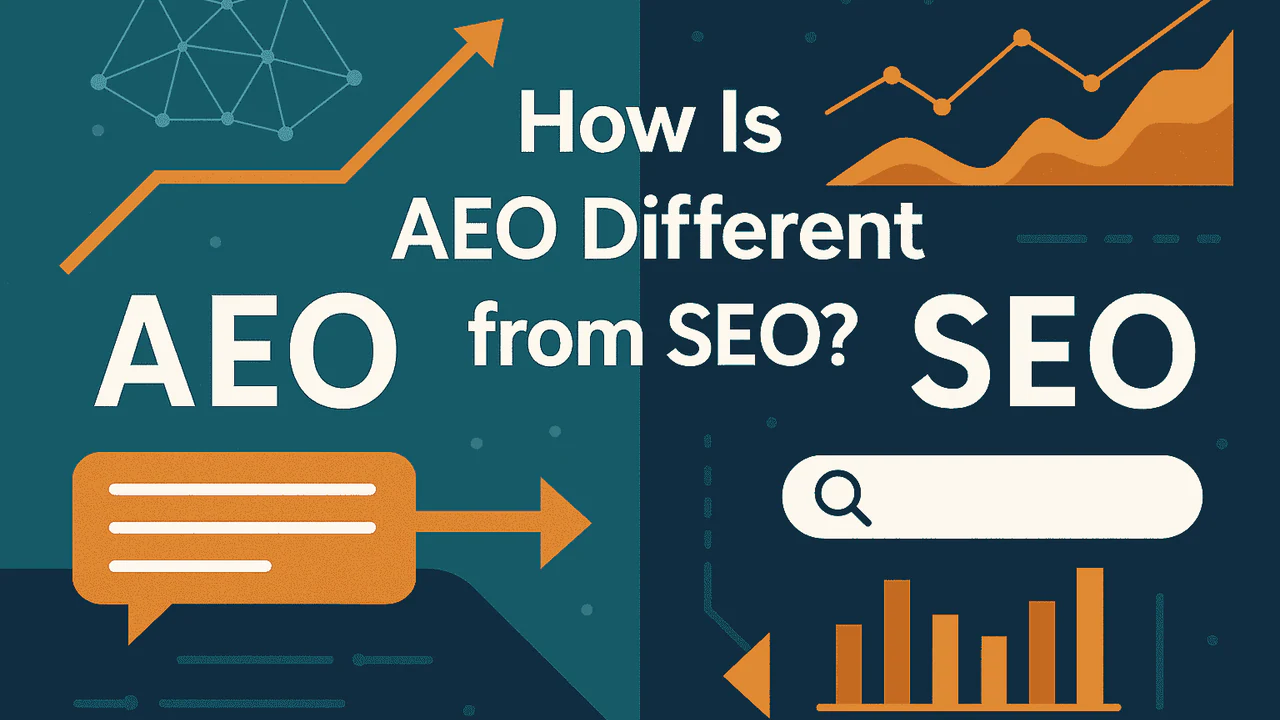

Answer engine optimization (AEO) is about making your content easy for systems to pull, quote, and cite accurately. This includes any system where the user asks a question and gets an answer (LLM, Featured Snippet, People Also Ask).
The problem is that if your page doesn’t give a clear answer in an optimized structure, the retrieval system won’t use your content. Or if your content is chosen but is inaccurate, it could be doing more harm than good.
I created this Answer Engine Optimization checklist to run against your draft, or published, content to make sure it’s optimized correctly.
If you do this consistently, you end up with pages that read better for people and get used more often in answers.
What Is AEO
AEO is answer engine optimization. It’s making your content easy for answer systems to extract, quote, cite, and attribute accurately.
It shows up anywhere the user gets an answer without needing to click. Think AI answers, AI Overviews, and rich features in Google, etc.
AEO is the on-page work that makes that possible.
It’s also not a new concept. SEO’s have been doing it for years – for example, optimizing for featured snippets. It’s the same thing. Only now it’s getting attention due to AI and LLMs.
What AEO is not
It’s not SEO.
Consider SEO as the main umbrella that AEO and GEO sit under. It’s what gets a page discovered, indexed, understood, and ranked. AEO sits under that. If the page isn’t strong on basic SEO, it won’t get picked as a source in the first place.
It’s not GEO.
GEO is a broader label people use for showing up in generated answers across platforms. AEO is the on-page execution. It’s the writing and structure changes that make a page easier to quote and cite accurately.
Where AEO overlaps with SEO and GEO
Overlap with SEO: Clear page topic, clean headings, and sections that match intent. If the page is hard to understand, the system can’t pull the right answer.
Overlap with GEO: Overlap with GEO. Generated answers are built from multiple related searches, not one keyword match. If your page covers the follow-up questions in their own sections, it gives the system more specific chunks to pull and cite.
What’s different? AEO is about being used inside an answer and being cited in a way that stays accurate.
Answer Engine Optimization Checklist
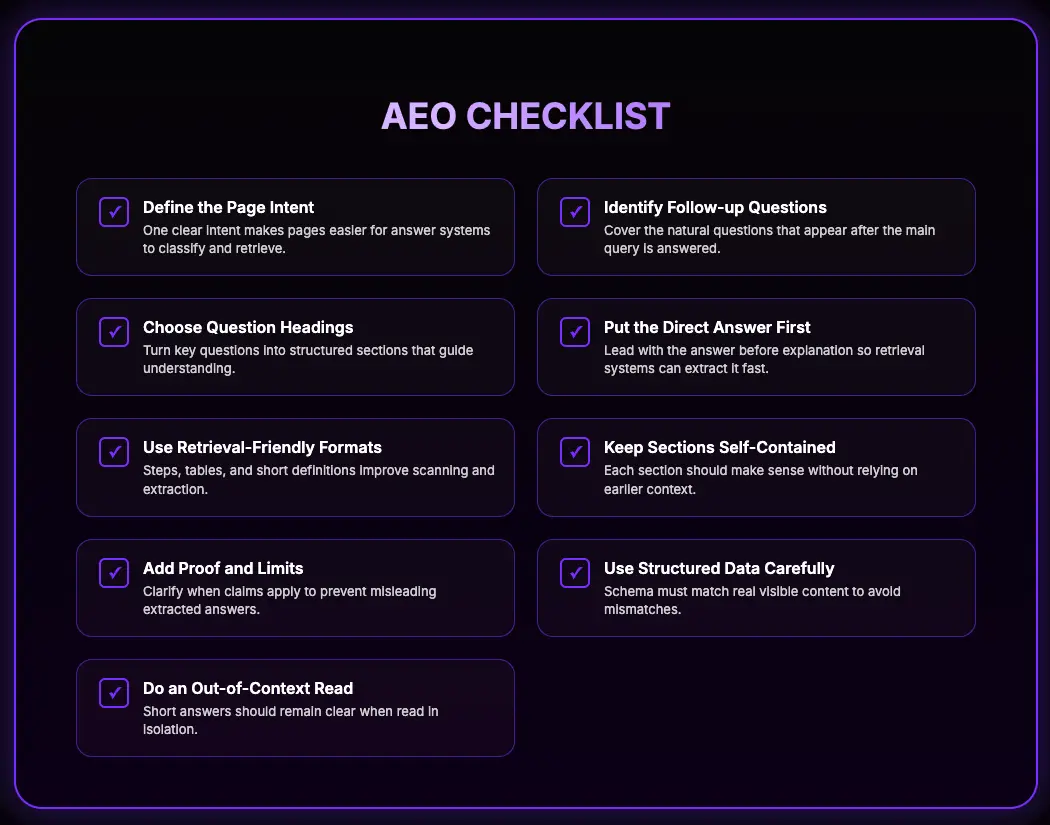
Define the page intent
Pick one primary intent and commit to it. Important for AEO because answer systems try to match a page to a specific type of query. If the intent is mixed, the page becomes harder to classify and harder to pull from cleanly.
Informational: They want an explanation or definition.
Navigational: They’re trying to find a specific page or website.
Commercial: They’re comparing options before a decision.
Transactional: They want to take an action like buying, booking, or signing up.
Once you pick the intent, set the page up to deliver it. Don’t mix intents as the main thing. A page that tries to explain and sell at the same time usually fails at both.
What to look for and fix.
- The page is trying to serve two intents. It explains and compares. Or it compares and sells. Pick one as primary.
- The intro doesn’t match the intent. It reads like a general opinion piece when the intent is to answer a question or help someone choose.
- The structure doesn’t match the intent. Informational pages need direct answers and clear sections. Commercial pages need criteria and comparisons. Transactional pages need a clear action path.
- The title and H1 don’t match the intent. They promise ‘what is’ but the page is written like ‘best tools,’ or the other way around.
Identify the follow-up questions
Once the primary intent is locked, figure out the questions that naturally sit under it.
Don’t think in terms of blog sections yet. Just think in terms of what someone would realistically ask after the main question is answered.
For example:
- If the page is informational, the follow-ups are usually clarifications, edge cases, definitions, examples, and ‘why does this matter.’
- If it’s commercial, the follow-ups are usually comparison criteria, pros and cons, use cases, and decision questions.
- If it’s transactional, the follow-ups are about pricing, setup, requirements, risks, and what happens next.
Write these as real questions, not content themes. If it sounds like a marketing heading, rewrite it until it sounds like something someone would actually say.
At this stage, you’re noting down coverage, not building structure.
Choose which questions become headings
Now look at the list and decide which questions could work well as their own section.
Not every follow-up question becomes an H2. Some are important enough to stand alone. Others belong inside a larger section.
Choose the questions that:
- Change the reader’s understanding.
- Affect a decision.
- Add a necessary constraint.
- Clarify a common misunderstanding.
- Help someone complete the task.
Group related questions together under one clear heading. Each heading should follow a theme, not a random collection of points.
Then order the sections logically. Definition before comparison. Explanation before decision. Criteria before recommendation.
If a question seems to move the audience, goal, or intent, cut it. That’s a different page.
Put the direct answer right under the heading
If the heading asks a question, the first line under it should answer that question. Don’t warm up. Don’t bother with fluff. The short answer goes first, then the explanation.
Do a layout check. Scroll the page and look only at headings plus the first two lines under each one. If you can’t get the answer quickly, the structure is wrong.
What to look for and fix.
- A paragraph that starts with context instead of the answer. Move the answer sentence above it.
- The answer split across multiple paragraphs. Combine it into one or two sentences, then expand.
- The answer buried after examples, screenshots, or definitions. Put the answer first, then the extras.
- The reader has to find the answer from a long explanation. Write the answer explicitly.
Use formats that answer systems can easily retrieve
Match the format to the type of answer. Don’t write everything as paragraphs. If the reader needs steps, give them steps. If they need a comparison, give them a table.
This is also an editing check. If your section is hard to scan, it’s usually because the format doesn’t match.
Use the right format for the section:
- Definitions: Start with a short definition paragraph. Add the detail after.
- Processes: Use numbered steps. One action per step.
- Comparisons: Use a table first. Put the explanation under the table.
- Quick questions: Use short Q&A blocks when the page has direct questions
Formatting checks:
- Keep lists tight. Don’t hide multiple actions in one step.
- Don’t put the key detail only in the middle of a long paragraph. Surface it early.
- If you can’t explain the difference between two options without a table, that’s a sign you need one.
Keep each section self-contained
Each section has to do its own job. The heading asks something, and the section answers it without needing the reader to remember what happened three sections earlier.
This is mostly a writing cleanup. When people draft, they lean on shortcuts like ‘as mentioned above’ or ‘this means.’ Those shortcuts break the section when it gets read on its own.
What to look for and fix.
- The section starts with context instead of an answer. Add a direct first sentence that answers the heading.
- The section uses pronouns with no clear subject. Replace ‘this/that/they’ with the actual term.
- The section depends on earlier definitions. Restate the key term in one line, then continue.
- The section points the reader elsewhere for the real answer. Bring the core point into the section, then link for detail.
Add proof and limits to your claims
If you make a claim that someone could disagree with, tighten it up. Add proof, add an example, or add the condition that makes it true.
Don’t stuff citations everywhere thought. Add proof where the claim needs it. Short answers get pulled out of context, so if a claim depends on a condition, state it clearly in the answer.
What to look for and fix.
- A claim that sounds absolute but isn’t. Add the condition. ‘If X, do Y. If not, do Z.’
- A claim with a number or a rule. State where it comes from or remove the number.
- A ‘best’ or ‘always’ statement. Replace it with when it’s best, and when it’s not.
- A claim that needs trust. Add a source, a quick example, or a clear boundary.
Add structured data only when it matches the page
Only use schema when the page actually contains that structure. If the page isn’t written like Q&A, don’t mark it up like one If the page is a how-to, the steps need to be real steps on the page, not implied in a paragraph.
Also, make sure the markup matches visible content. Same questions, same answers, same steps, same names. If the schema says one thing and the page says another, you’ve created a mismatch.
What to look for and fix.
- You’re using FAQ or Q&A markup, but there isn’t a real Q&A section on the page. Remove it or rewrite the section to match.
- The schema includes answers that aren’t visible on the page. Delete them.
- The schema wording doesn’t match the on-page wording. Update it so they match exactly where it counts.
- You’re adding schema ‘because you should.’ Don’t. Add it only when it fits the page format.
- After changes, run a quick validation check so you know it parses cleanly.
Do an out-of-context read
Read only the short answers on the page. That means the first 1–2 sentences under each heading, plus any quick definitions, steps, and tables. Those are the parts that get pulled most often.
Now read them as if the rest of the page doesn’t exist. If anything becomes unclear, misleading, or too broad when it’s isolated, rewrite it.
What to look for and fix.
- A short answer that banks on hidden context. Add the missing subject or the missing condition.
- A short answer that’s true but easy to misread. Tighten the wording.
- Important answers tucked into tabs, accordions, or UI that needs a click. Move the key part into the open.
- A table or steps list that needs a paragraph above it to make sense. Add a one-line lead-in right before it.
- Any ‘always/never/best’ language that needs a condition. Add the condition in the short answer, not later.
Common AEO Mistakes
AEO doesn’t replace good writing. It builds on it. If you’re writing for AEO first, then you’re already doing it wrong.
You write for your audience first > optimize for SEO > optimize for AEO/GEO.
Unclear Intent
Most AEO problems usually show up when structure and clarity break down.
One mistake is unclear intent alignment. The page might match the topic, but the sections don’t clearly answer the questions people actually ask. If the content is broad, opinionated, or unstructured, there may not be a clean answer for systems to use.
Shallow Questions
Another issue is shallow questions. The page answers the main topic but ignores the natural follow-ups. Definitions people confuse. Edge cases. Requirements. Constraints. Decision questions. Without those sections, there aren’t many strong retrieval points.
Formatting Mistakes
Format mistakes are common. Steps written as long paragraphs. Comparisons written without clear criteria. Troubleshooting without explicit causes and checks. When structure doesn’t match the task of the section, extraction becomes messy.
Schema Misuse
Schema misuse is another self-inflicted problem. Markup that doesn’t match the visible content, using the wrong schema type, or marking up content that isn’t on the page creates inconsistency. Structured data should reflect what exists, not invent structure.
Scattered Content
Hiding key content is another frequent issue. If the main answer is buried in tabs, accordions, or collapsed UI, it’s less likely to be selected cleanly.
Shallow Questions
Restricting snippets and previews can reduce how much of your content can be shown or cited. Controls meant to protect content can also limit visibility in answer surfaces.
FAQ – AEO Checklist
Answer engine optimization (AEO) is SEO work focused on getting your page used inside an answer. AEO makes the page easy to quote and cite without changing the meaning.
SEO is the full set of work that helps pages get discovered and rank. AEO is the on page writing and structure work that helps the page get pulled into an answer once it’s already eligible to show up.
GEO is a broader label for showing up in generated answers across platforms. AEO is the practical page level work that makes your content easy to extract as a clean answer.
AEO works best on pages that answer a clear question. Definitions, step by step guides, comparisons, and troubleshooting pages tend to fit that pattern.
Start by writing the exact question the post answers, then write a one to two sentence answer right under the first matching heading. After that, build the post around the follow up questions and use formats that match the job, like steps for processes and tables for comparisons.
No. Schema can help reduce ambiguity, but it won’t fix unclear intent, vague headings, or a buried answer. The page still has to say the answer clearly in the visible copy.
Use schema that matches what the page actually is. For most editorial content, that means basic Article markup and then FAQPage only if you have a real FAQ section with real questions and answers on the page.
You don’t “submit” your way into citations. You increase your chances by answering the question directly, keeping sections self contained, covering the follow ups, and backing up claims that could be disputed so the quoted lines stay accurate.
Measure whether the page is showing up as a source, not just whether it ranks. Look for changes in impressions and clicks for query sets tied to question intent, and track whether your pages are being referenced in the answer experiences your audience uses.
Rewrite the top of the page so the first heading answers the main question immediately. Then rewrite the headings into real questions and tighten the first two sentences under each section so they read clearly on their own.